Software Solutions

Software Solutions (35)

Consumer Electricals Wholesalers
consumer electicals

Sales/Counter

In every electric and in electronic product wholesale business, sales counter is the busiest, dynamic and happening area. Number of action happens inside the counter, on the counter and outside the counter. Typical day start with retailers (associated, known, unknown & first time visitors. Local as well as outsiders) calling over the phone asking for products. Retailers (within city areas and retailers arrived in city early in the morning) visit wholesaler’s office asking for products. Day also start with outstation retailers (or their known staff) visiting wholesaler office asking for products, asking for replacement, returning products, paying cash or cheque for the invoices already generated, asking for credit notes, handing over debit notes for purchase return & so on. These (and may be many more) activities happens daily. In turn keeping the counter pleasant, neat, clean, smiley, presentable and automated is the need of business and time too. Using computer (one or two or multiple), printer (one or two or multiple), UPS, Inverter, etc. is also the need of business. Using Acme’s Insight BAP (Business Application Processing) software on these computers adds sugar in milk. Acme’s Insight BAP (Business Application Processing) software is 8 (modules) in 1 (product). Acme’s Insight runs on single Windows based PC and on multiple Windows based PC’s connected with Windows Server or with Linux Server. Acme’s Insight saves huge time, efforts and money of the business, owner and staff. Acme’s Insight software helps business to grow by providing accurate business intelligence data to the business owner through various features. Let us read about each feature to find out how Acme’s Insight software actually help electric and electronic product Wholesale business, business owner, staff and above all customers and i.e. retailers who buy products from Wholesaler.

  • Create, save and print 10 bills at a time
    Generating sales bill is the foundation stone of Wholesale business. Generating sales bill for every sale creates meaningful data (about product, about producing company, about quantity, about price, about margin, about profitability, about packaging, etc.) that empowers & educate health of the business to the business owner. Acme Infovision understand this aspect of business since Acme started back in Year 1994. Acme Infovision supply one of the best sales billing user interface for the Wholesale business. Current user interface of billing allows business owner to generate 10 sales bills at a time in one single screen. This feature of Acme’s Insight is helping more than 1000+ wholesalers across Maharashtra State and Karnatak State. Acme Infovision appeals every business owner to use sales billing feature every day and for every product.
  • Number of items to be printed in one sales bill
    This function is available in the form of settings. This feature allows business owner to decide number of electrical or electronic product names to print in one sales bill. This feature is useful to the business since type of printed stationary used by Wholesaler office changes from city to city and from state to state.
  • Auto Select Batch In Sales Bill
    This feature automatically selects the batch number of the selected electric or electronic product in sales bill. Please be noted. Batch means production date of the product.
  • Select Sales Return Batch First While Auto Selecting Batch
    This feature helps user to select that product which arrived back in Wholesaler’s office under sales return document. This feature helps Wholesaler to reduce saleable stock immediately by reselling it again. Please be noted. Batch means production date of the product.
  • Set default memo type In sales bill
    This function helps Wholesaler to decide what type of sales bill to be prepared as default. Choices are cash bill, credit card bill, credit bill or multiple payment mode bills. This feature is available in the form of settings.
  • Cashier module
    This feature is useful when more than one person is handling cash transactions in Wholesaler’s office. This module track opening balance and closing balance of each cashier. This module generate daily report cashier wise. Wholesaler must order this module when handling cash by single person is beyond control & beyond management.
  • Add Multiple Batches Automatically For Entered Quantity
    This feature is useful when buyer (means retailer) order for large quantity of same product and ordered product is available with Wholesaler in multiple batches. Wholesale business runs on batch number, batch date & expiry date, this function automatically select multiple batches of selected products. Please be noted. Batch number and batch date means production date of the product maintained by production company.
  • Flash message for product, retailer and retailer details
    This feature is available in the form of settings. Acme’s Insight alert & flash message when product is out of stock, expired and reached to minimum stock level. This feature (flash of alert message) is also linked with the retailer name database and sales billing. Whenever retailer (having pending balance to be paid to wholesaler) visit the shop to buy more products from wholesaler? While making sales bill, as soon as retailer name is selected in Insight’s sales bill? Insight software alert billing user about payment due from selected retailer. This feature helps Wholesaler to keep tight control on outstanding.
  • Pending cash module
    This is another useful function for Wholesale business. This feature is used when wholesaler staff visit retailer’s in outstation areas with goods and sale it on the spot. This feature record all such sales bills under pending cash bill account and generates report.
  • Use Itemcode and Customer code while creating sales bill
    In wholesale business, Wholesaler does business with retailers, with manufacturers and with products. In normal business event, (many) billing users remember item names by item code and retailer names by retailer code than remembering actual item name & actual retailer name respectively. Selecting item and retailer by code, helps billing user to create quick sales bill. This feature also helps to that user who handles and enters purchase bills. This feature also helps users handling cash. Over all, this function is very important to Wholesale business.
  • Show retailer balance in pick list
    This feature helps billing user to get accurate information about outstanding payment when retailer visits to buy the products. More over, when user click mouse button on each visible outstanding amount! User can also see more information about each pending bill and products bought in each sales bill.
  • Facility to take net sales rate for sales return process
    This feature allows users to take direct net sales rate in sales return document.
  • Alert on Sales Bill UI (User interface) for shortage of products, near to expire products and expired products
    This alert automatically appears as soon as create new sales bill function is used by the user. This alert empower and educate user about those products that are not available in stock as well as products available in stock whose expiry is already over. This alert allows Wholesaler to take a decision about ordering products that are in short supply and to return products that are already expired. This feature is the need of Wholesale business. Acme’s Insight also use different colors for this alert. Red color used for expired products. Orange color used for the products that are blocked. Yellow color used for near to expiry products. Khaki color used for block batch products.
  • Show items in sales bill rack wise
    This function helps billing staff to print sales bill location wise. Delivery staff can use printed sales bill to remove stock from respective racks for actual delivery.
  • Take Different Series According To Memo Type In Sales Bill
    In Acme’s Insight software there is a provision to create different series of sales bills for cash payment and on credit. This function helps Wholesaler to select accurate and appropriate billing series when sales bill is generated. This function also helps to print daily sales report according to series namely daily cash sales report and daily credit sales report.
  • Lock sales rate greater than MRP
    Acme’s Insight allows Wholesaler to lock the sales rates while selling products to retailers.
  • Sales bill printing sequence
    This feature allows billing user to define how sales bill will be printed that will benefit office staff to take out products from various racks (provided stock is kept systematically and in sequence). Here user can define manufacture wise printing or rack wise printing. In rack wise printing, sequence can be maintained in such a way that office staff work smartly by visiting racks one by one than running from pillar to post. This is feature brings true smartness for Wholesale business.
  • Select debit note or credit note automatically while generating sales bill
    This feature helps counter billing staff to pick up credit notes or debit notes in sales bill.
  • Take confirmation from retailers for additional products for scheme
    Wholesaling business works on various schemes offered by producers or offered by Wholesaler to increase top line (turn over figure), bottom line figure (profits) and to reduce stock pressure. This feature allows billing user to take confirmation over the phone before billing. This feature also helps both the parties i.e. wholesaler and retailer not to get in to conflict and spoil the business relationship. This feature is available in the form of settings.
  • Adjust pending advances manually in sales bill
    This feature is available via settings. This feature helps billing user if he/she finds credit balance available against retailer. This credit balance could be there in software because of sales return and/or retailer is yet to raise debit note on wholesaler. By this function, it helps Wholesaler and billing user of wholesaling office to keep the business slate of retailer neat, clean and with no due or with no receivables or no payables.
  • Check for minimum allowed balance
    This feature allows billing user to check whether retailer is under complete control or not as regards to allowed credit balance. In case not? Insight do not allow to bill to that retailer. This feature is available in the form settings. Wholesaler can decide what process or discipline to follow for such retailers.
  • Warning alert for credit bill pending
    This feature is available in the form of settings. If this setting is enabled! Billing user and Wholesaler will get warning while sales bill is generated. This alert helps Wholesaler to keep outstanding amount under control. Keeping outstanding to minimum is the need of Wholesale business.
  • Lock the scheme for Batch if percentage of stock goes lower than specified percentage.
    This feature is available in the form of settings. If enabled! This feature does not allow billing user to offer a scheme price or free gift for the selected batch. This feature helps Wholesaler from creating losses.
  • Change Tax type by pressing hot key
    This feature helps when wholesaler is buying electric or electronic products out of the state where tax charges are different. Purchase bill entry user can use this function to change the tax rates wherever applicable. This function is available in the form of settings.
  • Check last purchase rate and last sales rate for selected item
    This function allows user to check last purchase rate and last sales rate given for designated retailer who want to buy electric or electronic products.
  • Create sales order for shortage quantity during sale bill
    This feature is useful when sales bill is created. Whenever there is a shortage of items as against ordered quantity by retailer! This feature helps sales bill creator to create sales order on original supplier.
  • Select salesman name or salesman code in sales bill
    This feature helps billing user. This feature keeps the track of business won by respective sales person. This feature also allows Wholesaler or accountant to calculate incentives payable to roaming sales staff.
  • Billing from : From fixed location and/or from choice of location when raising sales bill
    This feature is useful when wholesaler is having more than one billing location. By using this feature, billing user can generate sales bill for that location from where electric or electronic products will be moved and sold to retailer. This feature is useful for all those wholesalers whose main office is located within Octroi or LBT boundary and their warehouse or godown is located out of Octroi or out LBT boundary. This feature is useful for urban cities of State of Maharashtra and State of Gujarat where Octroi or LBT is still collected by Local Municipal Corporation Authorities.
  • Email sales bill in PDF format as soon as generated
    This function allows sales bill creator to send email in PDF format directly to retailer’s email ID.
  • Sales bill checking
    Acme’s Insight software highly recommends wholesalers to follow sales bill checking module. This module and process (associated with this feature) rechecks the sales bill and actual stock from MRP perspective, from quantity perspective and from batch perspective. This module and process avoids future confusion & ambiguity. This module and process saves time, effort and resources if this feature used and if process is followed.
  • View sales history of retailer
    Acme’s Insight software allows Wholesaler to view sales history of every retailer when sales bill is getting prepared.
  • Ready stock bills for van module
    Acme’s Insight offers this feature when wholesaler staff visit retailer’s on route with products filled in van. In real time wholesaler staff directly offer the products to retailer’s as per their oral demand and delivery staff immediately write the bill by hand, hand over the bill to retailer and take signature on second copy of hand written bill. When staff comes back to the office, he/she enter all the bills in Acme’s Insight.

Barcode Labeling

  • Getting skill, low cost & low overheads worker for wholesale business is becoming difficult
    Now-a-days getting skill, low cost & low overheads worker for wholesale business is becoming difficult day by day. Product with barcode label helps to raise sales bill within less time using barcode gun. In India, some wholesalers understood this concept and started working towards it. Acme offers barcode software module as an option working tightly with Acme’s Insight software. Using this software module, Wholesaler can use company owned barcode labels for sales billing purpose. Wholesaler can also design, create & print own barcode label.

CRM

CRM means customer relationship management. Now-a-days (in the era of Mobile phones, Smartphone, Web sites, Web Portals, Internet, TV, etc.) CRM has become an utmost important activity for every Electric and Electronic Product Wholesaler since competition is increasing beyond imagination, thinking and speed. Acme’s Insight software offers CRM for various PR (public relation) activities to be done with actual retailers. Those are as follows:-

  • Send transactional messages on mobile phone via text message
    Using this function wholesaler can send text messages on retailers mobile as soon as sales bill on credit is generated. Using this function wholesaler can also send text messages on retailers mobile as soon as cash payment collection is done by office staff and collection details (staff name, cash receipt book number, cash receipt number, date and amount) are entered in Acme’s Insight. Using this function wholesale can send thank you message when sales order arrives via Acme’s Smartphone Sales Order module.
  • Send personal greeting messages
    Using this function, Acme’s Insight can send personal greeting messages for entire retailer database. e.g. Happy Birthday, Happy Wedding Anniversary, etc.
  • Create mailing list and generate mailing labels
    Acme’s Insight can generate & print mailing list of all retailers who are buying products from wholesaler. Acme’s Insight can also generate & print retailer’s information in mailing label format. These labels can be used by wholesaler to send them information about new products, about new scheme (if any), etc. by post and/or by courier.

Accounting

Accounting is an integral part of every wholesaling business. Acme’s Insight offers complete accounting on click of mouse button. Read below about various features that are available under Accounting feature group namely:-

  • VAT accounting
    Every month, every business owner is forced to submit VAT report to respective government. VAT accounting is an important business task. Acme’s Insight software handles this part very systematically. When supplier’s bills are entered in to Insight? VAT paid on purchase bills is automatically added in to VAT paid register. When sales bill is printed on retailers? VAT collected from retailers is automatically added in to VAT collection register. When expired products, defective products or damaged products are returned to stockiest (or to producing company) using purchase return document? Difference of VAT is automatically calculated by Acme’s Insight and posted in to VAT register for purchase return. Whenever retailers returns products for damaged packaging or defective? Acme’s Insight automatically calculates VAT on sales return and posts it in to VAT register on sales return.
  • Bank reconciliation
    Bank reconciliation is one of the most tedious tasks for every business owner. Acme’s Insight software offers a feature by which bank reconciliation happens in lesser time. Kindly contact Acme’s office or Acme’s partners office to see how this feature helps business owner and save owners time.
  • Interest calculation
    In wholesaling business, stockiest (or producers or authorised distributors) charge interest when bills are not paid in time. This feature calculates the interest charged by the supplier. In addition, many business owners keep FD’s with banks. Bank gives them interest. Interest received from the bank can be rechecked by business owner using this feature available in Acme’s Insight.
  • View and print Balance Sheet, Profit & Loss and Trial Balance
    Balance Sheet, Profit & Loss, Trial Balance, Creditor’s list and Debater’s list are the important documents that display health of wholesale business. These reports are available on click of mouse button. The best thing about Acme’s Insight is! Wholesaler, accountant or staff does not have to have accounting knowledge to generate these reports. Acme’s Insight is developed in such a way that if Wholesaler, accountant and staff enter every purchase bill, sale every product via Insight, enter every payment + receipt + expenses in Insight, enter every sales return and purchase return using Acme’s Insight! These reports will be automatically updated as soon as these entries are recorded in Acme’s Insight.
  • Create Daily/Monthly Series For Cash And Bank Vouchers
    This feature allows Wholesaler to have series of cash & bank vouchers generated by the system. This feature is made available in the form of settings.
  • Export financial accounting data to Tally including tax data
    Many Electric and Electronic Product Wholesalers in India still avail or prefer the services of CA or professional tax consultant. In India, many CA’s or professional tax consultant use Tally software tool in their office. Insight's export accounting (only financial) data to Tally feature allows Wholesaler to share accounting data with such professionals. Having said this, Wholesaler can also generate accounting reports on their own namely balance sheet, P&L statement, trial balance sheet, creditor’s report, debater’s report, etc. on their own. In addition, Wholesaler can also print various accounting registers like sales register, purchase register, stock register, bankbook, cashbook, customer register, receipt register, expense register, payment register, credit register, debit register, etc. on click of mouse button.
  • Report - Salesman wise sales and incentive calculation
    Using this function, Wholesaler can easily disburse payable incentives with accurate data to each sales staff.
  • Mark every sales bill as undelivered
    This feature is useful for those wholesalers where delivery person or sales person actually deliver sales bill in person to every retailer outlet. This feature makes great sense when sales bills are not delivered because retailer is not available, retailer shop is closed or retailer refused to accept sales bill. This feature keeps the track of each sales bill and in turn Wholesaler is empowered and educated about total receivables from the market, total number of sales bills under dispute, etc.
  • Operate Customized Scheme
    This feature is useful to wholesaler who want to run their own scheme for selected or all retailers working under them. Typically, these schemes are launched by wholesaler to reduce stock burden or pressure and to allow fresh stock or new products to get introduced in to the market.
  • Lock or warn when GP (gross profit) is below predefined percentage
    This is an alert function. This function helps Wholesaler or sales bill creator while saving the bill. If locking option is selected? Sales bill creator is unable to bill. If warning is selected? Sales bill creator is empowered via alert message on computer monitor. Wholesaler or accountant need to decide how to use this function in their business.
  • Payment collection module
    This is useful feature for wholesale business where there are many delivery staff people or sales staff people visit multiple retailers for pre designated and pre defined daily work. One of the daily tasks is collect payment for pending invoices. Most of the staff is given cash receipt book by Wholesaler. These receipt books are allocated and given to each staff by keeping record in Acme’s Insight. When staff comes back in the evening! They handover actual collected cash and the receipt book to accountant. Accountant can enter receipt numbers in to Acme’s Insight and Insight automatically gives credit effect for the collected amount to concerned retailer. Facility is also available in Acme’s CRM to acknowledge this payment via text message to each retailer.
  • Take receipt book number and receipt number in payment collection report
    This feature helps accountant or Wholesaler to give accounting effect for each payment collected from various retailers. This feature helps Wholesaler and accountant to complete the sales cycle of each sales bill generated on retailer.
  • Processing of cheques received from retailers
    Acme’s Insight software completely track all the cheques received from retailers namely when the cheque arrived in the office, when the cheque was deposited in the bank, when the cheque was credited in to bank account, etc. are processed by this feature.
  • Credit note adjustment against suppliers invoice or item
    Acme’s Insight software got another needy feature where by credit notes generated & released by wholesaler against the invoices or against item. This is very unique when credit notes are generated for schemes separately and credit notes generated for sales return and for over all sales bill.
  • Maintenance of blank cheques given it to suppliers
    Acme’s Insight software allows wholesaler to keep the track and maintenance of blank cheques given it to the suppliers. This function alerts wholesaler in terms of managing bank balance and keeping a tight eye on bank account.

Sales and Purchase Return

Sales return and purchase return, these are the two unpleasant activities that happens in Electric or Electronic Product Wholesaling business. No one likes it. However, they are unavoidable. If these two activities are controlled tightly & systematically! It helps wholesale business to grow and to sustain. Acme’s Insight software understand these aspects correctly and offers value for money features that helps business to grow, business to sustain and helps Wholesaler to make less losses or nil losses.

  • Accept Expired Goods Only in Months After Expiry
    This function allows Wholesaler to define the process and the discipline when to accept sales return products arriving from retailers. This function is available in the form settings
  • Maximum Items In One Credit Note
    This function allows Wholesaler to define and to decide number of items to be taken back in one credit note. This feature is available in the form of settings
  • Define sales return rate for expired items in sales return
    This function is available in the form of settings and in the form of formula. Wholesaler can define how much of percentage to be followed on MRP when sales return happens.
  • Allow more sales return rate in sales return as compared to already defined formula
    This function is available in the form of settings. This function allows exceptional cases where sales return needs to be taken back at higher price than defined formula earlier. This feature works manually provided authority is enabled and given.
  • Define number of days for sales return process
    This feature is available in the form of settings. This function allows Wholesaler to define number of days from the date of expiry date for sales return activity.
  • Allow credit note with reason for sales return
    This function is available in the form of settings. This function pushes Wholesaler or staff to write reason to link credit note with sales return document. This feature helps Wholesaler, accountant, CA or tax practitioner to trail credit note and sales return document.
  • Sales return passing module
    This feature is needed where physical sales return is undertaken by counter staff but sales return is passed by authority person only since counter staff is not domain knowledge person and having authority to accept and to pass sales return document.
  • Sales return for damaged goods, retailer shop closed or unordered goods
    Acme’s Insight offers this report to wholesaler when delivery van person try to deliver goods on retailer route. Typically, goods are not delivered for 3 visible reasons namely goods are damaged or package is damaged, retailer shop is closed and retailer refuse to accept the goods that are unordered.

Report

Printed reports give an opportunity to Wholesaler to work out various strategies to increase business (top line, bottom line, suppliers, products, consumers, etc.). Printed reports (somehow) got more impact that is emotional to every Indian mind than seeing the same report electronically on computer monitor. Acme’s Insight provides some standard reports. In addition, Acme’s Insight also provide Report Writing module. Using this module, Wholesaler can generate customized reports as per the need of business. Following reports are available in Acme’s Insight namely

  • Stock report
    Marketing representative working with producing firms requires this data from wholesalers. Acme’s Insight generates this report automatically at predefined time and emails it to the concerned marketing representative from email. This feature saves time of all the parties. Pending dead stock (defective product, packaging damaged, expired product, etc.) report is also available in Acme’s Insight software.
  • Accounting Reports
    Balance Sheet, Profit & Loss, Trial Balance, Sales Register, Purchase Register, Bank Book, Cash Book, Expenses Book, Creditor’s Register, Debtor’s Registers, General Ledger, Bank Statement, Profitability Report, Cheque Book Maintenance, Suppliers Cheque Book Report, Bank Reconciliation report, etc. Generate automatic credit and debit note report. Rate difference credit note and debit notes report and interest on pending bills for late payment report is also available.
  • VAT report
    Acme’s Insight generates 4 types of VAT reports namely VAT paid via suppliers bill, VAT collected via sales bill generated on retailers, VAT difference on sales return and VAT difference on purchase return.
  • Print Date & Time on each report
    Acme’s Insight print date & time on each report so that trailing on each report becomes easy. This function is available in the form of settings.
  • Expired product report item wise, manufacture wise or storage location wise.
    This report helps the Wholesaler when purchase returns activity to be conducted and when quick business analysis needs to be done.
  • Loading sheet rout wise
    Acme’s Insight offers this unique feature that helps wholesale on how to upload electric or electronic products in delivery van. This sheet helps business staff to upload those items (first) that are going to get delivered last and upload those items (last) that are going to get delivered first on defined retailer’s route.
  • Rout wise bills dispatched summary
    Acme’s Insight offers this unique function by which wholesaler comes to know about sales bills delivered on retailer route.

Back Office

There are many things (task in hand) that happen in every wholesaling business before business hour starts and after business hours are closed. These activities (task in hand) fall under the category of back-office task. Listing down features of Acme’s Insight that falls under Back-office category namely:-

  • Business Analysis and Intelligence
    Acme’s Insight got built-in dashboard UI (User Interface) module. This module display selected & important business data in the form of graphical charts. Graphical charts are more appealing in terms of understanding the data. e.g. Supplier wise sales, product wise sales, counter wise sales, salesperson wise sales, profitability of the business, etc. These reports are instantly available and they are updated as and when actual transaction happens in Acme’s Insight like entering of purchase bill, selling products to retailers, entering bill payment, giving payment to suppliers, undertaking sales return, entering expenses for staff or for business, etc.
  • Multiple firms
    Insight allows Wholesaler to use this function in case Wholesaler wants to maintain business separately from tax (turnover and income) perspective. This feature helps wholesaler to reduce tax burden. This feature helps Wholesaler on how to grow business, when, where, etc. Switching from one firm name to another happens only by pressing one key on computer keyboard. Wholesaler can also keep last year and last to last year data in computer. Switching to earlier financial year data is also smooth, seamless and easy.
  • Supplier data entry linked with manufacturing firms
    Acme’s Insight allows Wholesaler to add manufacturing company names while creating supplier database. Efforts invested in data entry actually help Wholesaler or staff when purchase orders are generated on these suppliers. Acme’s Insight software shows only those product names that are linked with supplier produced by concerned producers. This feature speed up the computer performance by showing limited product names than showing entire product names produced by countless firms.
  • Scheduler & task manger
    Acme’s Insight software offers another powerful feature that can be used before or after transaction hours. Wholesaler can also add various important business tasks like VAT return date, IT return date, VAT payment date, IT payment date, etc. in Acme’s scheduling software. Acme’s scheduling software sends an alert text message on mobile phones used by Wholesaler.
  • Auto email stock reports to Marketing Representatives
    Acme’s Insight software got this another unique and needy feature. This feature send stock reports to Marketing representatives using their email ID’s.
  • Lock retailer
    Acme’s Insight software allows Wholesaler to lock retailer in case retailer’s business reputation is spoil because of wrong business practices followed by retailer.
  • Software security for users
    Acme’s Insight understands the security aspect. Acme offers user-friendly security features that can be used using mouse button clicks. Wholesaler can create users based on duties to be performed by the staff. e.g., User is allowed to create sales bill. Now this user will not be able to see and use features and functions of accounting, stock, purchase, accounting, etc. Acme’s Insight allows Wholesaler not to allow sales billing user to have access to any other functions & features available in Insight.
  • Import link where wholesalers are forced to used Web based software by production company
    Acme’s Insight offers another unique feature to wholesaler that allows wholesalers to import purchase order data, delivery challan data, invoice data and price list data being used by wholesaler directly on Web based software application being made compulsory to use it for Wholesalers. It is being found that most of these applications do not allow wholesalers to do other business activities in real time. Acme understood this need and developed a link in Acme’s Insight software.
  • Automatic back-up of Insight
    Acme’s Insight offers this most important feature to every buyer of Insight. This feature automatically takes back up of data created & generated by Insight. Back-up data is stored in computer hard disk in day wise folders. Each folder is given day name like Monday, Tuesday, etc. Each customer is requested to copy daily back up outside the computer. May be on pen drive or USB hard drive. Nevertheless, copying daily back up out of computer is must. In India, power conditions (supply) are not healthy and consistent. Sudden spike in power supply can ruin the entire computer setup available in automobile spare part shop.

Stock Maintenance and Management

Wholesaling business generates great profits when business works smoothly, seamlessly, smartly and that too when saleable stock is available to bill it to retailer. So entering stock, entering every supplier bill, updating stock, monitoring stock, tracking stock, entering every sales return and purchase return, etc. are the key task in hand for wholesaler. Acme’s Insight offers useful features for stock entry, stock update, stock maintenance, etc. Read more about it.

  • Import computerized purchase bill
    Entering purchase bill consumes huge time of Wholesaler or staff. To save time, efforts, avoiding mistakes & errors,Acme’s Insight software allows Wholesaler to import supplier’s bill on computer. Please contact Acme’s office or Acme’s partner’s office to understand how to use this feature.
  • Enter products Batch Wise and Category wise
    Acme’s Insight software maintains product data batch wise (here batch means production date or month or year) and category wise. This process helps Wholesaler and billing user while making sales bill, while taking sales return and while returning electric or electronic products to the stockiest or to production company.
  • Expiry Warning Start Before “N” number of Days from the date Of Expiry and Lock Batch Before “N” number of Days from the date Of Expiry
    This feature allows Wholesaler to decide when Acme’s Insight should warn Wholesaler and billing staff about expiry of products. “N” number can be entered by Wholesaler or by staff. This function is available via settings. Second feature will help Wholesaler or staff to lock the batch of products that are already expired. This function is also available in the form of settings.
  • Raise Expired Product Warning While Starting Program
    This feature report electric or electronic products that are already expired or near to expire. This alert appears on computer screen as soon as Acme’s Insight software is started. This alert helps Wholesaler to take quick action on expired goods. Owner can immediately return the products to stockiest or to producing company.
  • Validate purchase price and sale price while entering stock
    Acme’s Insight software allows Wholesaler to validate purchase rate and sale rate while entering electric or electronic product data. This feature empower & educate users to validate accuracy of price factor that is utmost important to the business.
  • Multiple stocking locations within business premises
    Acme’s Insight software allows Wholesaler to store (to keep) products in multiple locations (racks) within business premises. Each location (rack) can be given a unique number or unique name. By doing this, Wholesaler can actually get accurate information about stock data available in respective locations (racks) where products are stored.
  • Minimum order level quantity and reordering quantity
    While entering product master data, Wholesaler can enter minimum order level quantity and reordering quantity for fast selling products. This feature helps Wholesaler while reordering. Alert function is also available where by user is alerted as soon as stock level reaches to minimum level. Automatic reordering feature is available in Acme’s Insight if activated by Wholesaler.
  • Formula function for Item Master Entry
    This feature is available in the form of formula. Once the formula is set by Wholesaler! Sale price of each item can be automatically calculated by Acme’s Insight when purchase rate is entered.
  • Add multiple attributes or properties to each item
    Acme’s Insight software is completely driven by stock data. Acme’s Insight software allows Wholesaler to add multiple attributes or properties for each item.
  • Maintaining stock in multiple units and in multiple packs
    This feature allows Wholesaler to maintain stock in multiple units and in multiple packs. e.g. Electric wire data can be maintained in bundle from purchasing perspective and as well as meter perspective from selling perspective. Switches, plugs, 3 pin or 5 pin sockets, bulb, tubes, etc. can be maintained in box from purchase perspective. Same items can be maintained in pieces from selling perspective.
  • Add free quantity while purchase bill is entered
    This feature allows Wholesaler or staff to enter free quantity scheme that is offered by original producer.
  • Display previous batch details (batch, scheme, purchase rate, sales rate, MRP, purchase date, expiry and GP percentage) while entering purchase bill
    This feature allows Wholesaler to see whether items are already available in stock or not. This function is available via settings.
  • Auto calculate rates while entering purchase bill
    This feature allows Acme’s Insight to calculate purchase rate, sales rate and MRP rate when stock is entered. This feature allows Wholesaler to define the formula for purchase rate, retailer’s sale rate and MRP. This feature is available in the form of settings.
  • Define default rates and user definable rates
    Both these options are available in the form of settings. Setting default rates for retailers can help sales billing user to create quick sales bill. User definable rates helps sales billing user to type different rates for walk in retailers who are not regular buyers. These retailers are called as one-off buyers.
  • Lock sales rates in sales bill
    This function is available in the form of settings. This function helps Wholesaler not to allow billing users to play (to change or to modify) with sales rates. This function is utmost important where Wholesaler is having more than one billing counters.
  • Allow free items
    This feature allows purchase bill entry user to add free items offered by the original supplier and/or offered by Wholesaler. This feature also helps sales bill creator while generating sales bill on retailer.
  • Scheme module
    This feature allows wholesaler to run local scheme for retailers to increase sales.
  • Sale order software module (Android operating system) for Smartphone.
    This is dedicated Smartphone software developed on Android based operating system. This module is sold separately. This software product is not a part of Acme’s Insight software. This software module communicates with Windows based Acme’s Insight software seamlessly. This software helps all those wholesalers who got moveable sales staff promoting business by visiting retail counters within city or outside city. Android-based software allows movable sales person to pick up sales orders on Smartphone and send these orders via Internet using simple texting method.
  • Display wholesale and retail margin on each item.
    This is another useful function when stock items are entered using supplier bill. This feature display retailer margin and wholesaler margin.
  • Lock the batch
    Acme’s Insight software allows wholesaler to lock a particular batch of product.
  • To check margin after entry of purchase bill
    Acme’s Insight software allows Wholesaler to check margin on every item for the entered purchase bill.
  • Purchase bill passing module
    This feature is needed where purchase order is created by staff but Wholesaler wants to view purchase order again so that duplicate stock, purchase rate, schemes, etc. can be validated once again.

Read more...

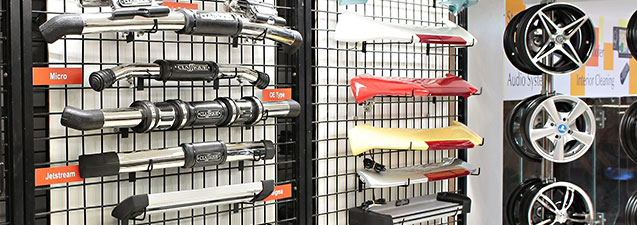
Automobile Spare Parts Wholesalers

Sales/Counter

In every Automobile Spare Part Wholesale business, sales counter is the busiest, dynamic and happening area. Number of action happens inside the counter, on the counter and outside the counter. Typical day start with retailers (associated, known, unknown & first time visitors. Local as well as outsiders) calling over the phone asking for products. Retailers (within city areas and retailers arrived in city early in the morning) visit Wholesaler’s office asking for products. Day also start with outstation retailers (or their known staff) visiting Wholesaler office asking for products, asking for replacement, returning products, paying cash or cheque for the invoices already generated, asking for credit notes, handing over debit notes for purchase return & so on. These (and may be many more) activities happens daily. In turn keeping the counter pleasant, neat, clean, smiley, presentable and automated is the need of business and time too. Using computer (one or two or multiple), printer (one or two or multiple), UPS, Inverter, etc. is also the need of business. Using Acme’s Insight BAP (Business Application Processing) software on these computers adds sugar in milk. Acme’s Insight BAP (Business Application Processing) software is 8 (modules) in 1 (product). Acme’s Insight BAP software runs on single Windows based PC and on multiple Windows based PC’s connected with Windows Server or with Linux Server. Acme’s Insight saves huge time, efforts and money of the business, owner and staff. Acme’s Insight BAP software helps business to grow by providing accurate business intelligence data to the business owner through various features. Let us read about each feature to find out how Acme’s Insight BAP software actually help Automobile Spare Part Wholesale business, business owner, staff and above all customers and i.e. Automobile Retailers who buy products from Wholesaler.

  • Create, save and print 10 bills at a time
    Generating sales bill is the foundation stone of Wholesale business. Generating sales bill for every sale creates meaningful data (about product, about producing company, about quantity, about price, about margin, about profitability, about packaging, etc.) that empowers & educate health of the business to the business owner. Acme Infovision understand this aspect of business since Acme started back in Year 1994. Acme Infovision supply one of the best sales billing user interface for the Wholesale business. Current user interface of billing allows business owner to generate 10 sales bills at a time in one single screen. This feature of Acme’s Insight is helping more than 1000+ Wholesalers across Maharashtra State and Karnatak State. Acme Infovision appeals every business owner to use sales billing feature every day and for every product.
  • Number of items to be printed in one sales bill
    This function is available in the form of settings. This feature allows business owner to decide number of automobile spare part names to print in one sales bill. This feature is useful to the business since type of printed stationary used by Wholesaler office changes from city to city and from state to state.
  • Auto Select Batch In Sales Bill
    This feature automatically selects the batch number & batch date of the selected automobile spare part in sales bill. Please be noted. Batch number & batch means production date, month, batch & year of the product.
  • Select Sales Return Batch First While Auto Selecting Batch
    This feature helps user to select that product which arrived back in Wholesaler’s office under sales return document. This feature helps Wholesaler to reduce saleable stock immediately by reselling it again. Please be noted. Batch means production date of the product.
  • Set default memo type In sales bill
    This function helps Wholesaler to decide what type of sales bill to be prepared as default. Choices are cash bill, credit card bill, credit bill or multiple payment mode bills. This feature is available in the form of settings.
  • Cashier module
    This feature is useful when more than one person is handling cash transactions in Wholesaler’s office. This module track opening balance and closing balance of each cashier. This module generate daily report cashier wise. Wholesaler must order this module when handling cash by single person is beyond control & beyond management.
  • Add Multiple Batches Automatically For Entered Quantity
    This feature is useful when buyer (means retailer) order for large quantity of same product and ordered product is available with Wholesaler in multiple batches. Wholesale business runs on batch number, batch date & expiry date. This function automatically select multiple batches of selected products. Please be noted. Batch number and batch date means production date (Month & Year) of the product maintained by production company.
  • Flash message for product, retailer and retailer details
    This feature is available in the form of settings. Acme’s Insight alert & flash message when product is out of stock, expired and reached to minimum stock level. This feature (flash of alert message) is also linked with the retailer name database and sales billing. Whenever retailer (having pending balance to be paid to Wholesaler) visit the shop to buy more products from Wholesaler? While making sales bill, as soon as retailer name is selected in Insight’s sales bill? Insight software alert billing user about payment due from selected retailer. This feature helps Wholesaler to keep tight control on outstanding.
  • Pending cash module
    This is another useful function for Wholesale business. This feature is used when Wholesaler staff visit retailers in outstation areas with goods and sale it on the spot. This feature record all such sales bills under pending cash bill account and generates report.
  • Use Barcode, Itemcode or Item Name while creating sales bill
    In Wholesale business, Wholesaler do business only with defined retailers, with defined manufacturers and with defined products. In normal business event, (many) billing users remember item names by item code and retailer names by retailer code than remembering actual item name & actual retailer name respectively. Selecting item and retailer by code, helps billing user to create quick sales bill. This feature also helps to that user who handles and enters purchase bills. This feature also helps users handling cash. Over all, this function is very important to Wholesale business. Wholesaler can also use barcode gun to scan the spare part while creating sales bill.
  • Show retailer balance in pick list
    This feature helps billing user to get accurate information about outstanding payment when retailer visits to buy the products. Moreover, when user click mouse button on each visible outstanding amount! User can also see more information about each pending bill and products bought in each sales bill.
  • Alert on Sales Bill UI (User interface) for shortage of products, near to expire products and expired products
    This alert automatically appears as soon as create new sales bill function is used by the user. This alert empower and educate user about those products that are not available in stock as well as products available in stock whose expiry is already over. This alert allows Wholesaler to take a decision about ordering products that are in short supply and to return products that are already expired. This feature is the need of Wholesale business. Acme’s Insight also use different colors for this alert. Red color used for expired products. Orange color used for the products that are blocked. Yellow color used for near to expiry products. Khaki color used for block batch products.
  • Show items in sales bill rack wise
    This function helps billing staff to print sales bill location wise. Delivery staff can use printed sales bill to remove stock from respective racks for actual delivery.
  • Take Different Series According To Memo Type In Sales Bill
    In Acme’s Insight software there is a provision to create different series of sales bills for cash payment and on credit. This function helps Wholesaler to select accurate and appropriate billing series when sales bill is generated. This function also helps to print daily sales report according to series namely daily cash sales report and daily credit sales report.
  • Lock sales rate greater than MRP
    Acme’s Insight allows Wholesaler to lock the sales rates while selling products to retailers.
  • Sales bill printing sequence
    This feature allows billing user to define how sales bill will be printed that will benefit office staff to take out products from various racks (provided stock is kept systematically and in sequence). Here user can define manufacture wise printing or rack wise printing. In rack wise printing, sequence can be maintained in such a way that office staff work smartly by visiting racks one by one than running from pillar to post. This is feature brings true smartness for Wholesale business.
  • Select debit note or credit note automatically while generating sales bill
    This feature helps counter billing staff to pick up credit notes or debit notes in sales bill.
  • Take confirmation from retailers for additional products for scheme
    Wholesale business works on various schemes offered by producers or offered by Wholesalers to increase top line (turn over figure), bottom line figure (profits) and to reduce stock pressure. This feature allows billing user to take confirmation over the phone before billing. This feature also helps both the parties i.e. Wholesaler and retailer not to get in to conflict and spoil the business relationship. This feature is available in the form of settings.
  • Adjust pending advances manually in sales bill
    This feature is available via settings. This feature helps billing user if he/she finds credit balance available against retailer. This credit balance could be there in software because of sales return or retailer is yet to raise debit note on Wholesaler. By this function, it helps Wholesaler and billing user of Wholesale office to keep the business slate of retailer neat, clean and with no due and/or with no receivables or no payables.
  • Check for minimum allowed balance
    This feature allows billing user to check whether retailer is under complete control or not as regards to allowed credit balance. In case not? Insight do not allow to bill to that retailer. This feature is available in the form settings. Wholesaler can decide what process or discipline to follow for such retailers.
  • Warning alert for credit bill pending
    This feature is available via settings. If this setting is enabled! Billing user and Wholesaler will get warning while sales bill is generated. This alert helps Wholesaler to keep outstanding amount under control. Keeping outstanding to minimum is the need of Wholesale business.
  • Lock the scheme for Batch if percentage of stock goes lower than specified percentage.
    This feature is available in the form of settings. If enabled! This feature does not allow billing user to offer a scheme price or free gift for the selected batch. This feature helps Wholesaler from creating losses.
  • Change Tax type by pressing hot key
    This feature helps when Wholesaler is buying automobile spare parts out of the state where tax charges are different. Purchase bill entry user can use this function to change the tax rates wherever applicable. This function is available in the form of settings.
  • Check last purchase rate and last sales rate for selected item
    This function allows user to check last purchase rate and last sales rate given for designated retailer who want to buy automobile spare parts.
  • Create sales order for shortage quantity during sale bill
    This feature is useful when sales bill is created. Whenever there is a shortage of items as against ordered quantity by retailer! This feature helps sales bill creator to create sales order on original supplier.
  • Select salesman name or salesman code in sales bill
    This feature helps billing user. This feature keeps the track of business won by respective sales person. This feature also allows Wholesaler or accountant to calculate incentives payable to roaming sales staff.
  • Billing from : From fixed location and/or from choice of location when raising sales bill
    This feature is useful when Wholesaler is having more than one billing location. By using this feature, billing user can generate sales bill for that location from where automobile spare parts will be moved and sold to retailer. This feature is useful for all those Wholesalers whose main office is located within Octroi or LBT boundary and their warehouse or godown is located out of Octroi or out LBT boundary. This feature is useful for urban cities of State of Maharashtra and State of Gujarat where Octroi and/or LBT is still collected by Local Municipal Corporation Authorities.
  • Email sales bill in PDF format as soon as generated
    This function allows sales bill creator to send email in PDF format directly to retailer’s email ID.
  • Sales bill checking
    Acme’s Insight software highly recommends Wholesalers to follow sales bill checking module. This module and process (associated with this feature) rechecks the sales bill and actual stock from MRP perspective, from quantity perspective and from batch perspective. This module and process avoids future confusion & ambiguity. This module and process saves time, effort and resources if this feature used and if process is followed.
  • View sales history of retailer
    Acme’s Insight software allows Wholesaler to view sales history of every retailer while sales bill is generated.
  • Ready stock bills for van module
    Acme’s Insight offers this feature when Wholesaler staff visit retailers on route with products filled in van. In real time Wholesaler staff directly offer the products to retailers as per their demand and delivery staff immediately write the bill by hand, hand over the bill to retailer and take signature on second copy of hand written bill. When staff comes back to the office, he/she enter all the bills in Acme’s Insight.

Barcode Labeling

  • Getting skill, low cost & low overheads worker for Wholesale business is becoming difficult
    Now-a-days getting skill, low cost & low overheads worker for Wholesale business is becoming difficult day by day. Multinational Automobile companies realized this problem long back. In turn they introduced barcode label in their production & Wholesale business. Each product with barcode label helps to raise sales bill within less time. In India, some Wholesalers understood this concept and started working towards it. Acme offers barcode software module as an option working tightly with Acme’s Insight software. Using this software module, Wholesaler can use company owned barcode labels for sales billing purpose. Wholesaler can also design, create & print own barcode label.

CRM

CRM means customer relationship management. Now-a-days (in the era of Mobile phones, Smartphone, Web sites, Web Portals, Internet, TV, etc.) CRM has become an utmost important activity for every Wholesaler since competition is increasing beyond imagination, thinking and speed. Acme’s Insight software offers CRM for various PR (public relation) activities to be done with actual retailers. Those are as follows:-

  • Send transactional messages on mobile phone via text message
    Using this function Wholesaler can send text messages on retailers mobile as soon as sales bill on credit is generated. Using this function Wholesaler can also send text messages on retailers mobile as soon as cash payment collection is done by office staff and collection details (staff name, cash receipt book number, cash receipt number, date and amount) are entered in Acme’s Insight. Using this function Wholesaler can send thank you message when sales order arrives via Acme’s Smartphone Sales Order module.
  • Send personal greeting messages
    Using this function, Acme’s Insight can send personal greeting messages for entire retailer database. e.g. Happy Birthday, Happy Wedding Anniversary, etc.
  • Create mailing list and generate mailing labels
    Acme’s Insight can generate & print mailing list of all retailers who are buying products from Wholesaler. Acme’s Insight can also generate & print retailer’s information in mailing label format. These labels can be used by Wholesaler to send them information about new products, about new scheme (if any), etc. by post and/or by courier.

Accounting

Accounting is an integral part of every Wholesale business. Acme’s Insight offers complete accounting on click of mouse button. Read below about various features that are available under Accounting feature group namely:-

  • VAT accounting
    Every month, every business owner is forced to submit VAT report to respective government. VAT accounting is an important business task. Acme’s Insight software handles this part very systematically. When supplier’s bills are entered in to Insight? VAT paid on purchase bills is automatically added in to VAT paid register. When sales bill is printed on retailers? VAT collected from retailers is automatically added in to VAT collection register. When expired products, defective products or damaged products are returned to stockiest (or to producing company) using purchase return document? Difference of VAT is automatically calculated by Acme’s Insight and posted in to VAT register for purchase return. Whenever retailers returns products for damaged packaging or defective? Acme’s Insight automatically calculates VAT on sales return and posts it in to VAT register on sales return.
  • Bank reconciliation
    Bank reconciliation is one of the most tedious tasks for every business owner. Acme’s Insight software offers a feature by which bank reconciliation happens in lesser time. Kindly contact Acme’s office or Acme’s partners office to see how this feature helps business owner and save owners time.
  • Interest calculation
    In Wholesale business, stockiest (or producers) charge interest when bills are not paid in time. This feature calculates the interest charged by the supplier. In addition, many business owners keep FD’s with banks. Bank gives them interest. Interest received from the bank can be rechecked by business owner using this feature available in Acme’s Insight.
  • View and print Balance Sheet, Profit & Loss and Trial Balance
    Balance Sheet, Profit & Loss, Trial Balance, Creditor’s list and Debater’s list are the important documents that display health of Wholesale business. These reports are available on click of mouse button. The best thing about Acme’s Insight is! Wholesaler, accountant or staff does not have to have accounting knowledge to generate these reports. Acme’s Insight is developed in such a way that if Wholesaler, accountant and staff enter every purchase bill, sale every product via Insight, enter every payment + receipt + expenses in Insight, enter every sales return and purchase return using Acme’s Insight! These reports will be automatically updated as soon as these entries are recorded in Acme’s Insight.
  • Create Daily/Monthly Series For Cash And Bank Vouchers
    This feature allows Wholesaler to have series of cash & bank vouchers generated by the system. This feature is made available via settings.
  • Export financial accounting data to Tally including tax data
    Many Electric and Electronic Product Wholesalers in India still avail or prefer the services of CA or professional tax consultant. In India, many CA’s or professional tax consultant use Tally software tool in their office. Insight's export accounting (only financial) data to Tally feature allows Wholesaler to share accounting data with such professionals. Having said this, Wholesaler can also generate accounting reports on their own namely balance sheet, P&L statement, trial balance sheet, creditor’s report, debater’s report, etc. on their own. In addition, Wholesaler can also print various accounting registers like sales register, purchase register, stock register, bankbook, cashbook, customer register, receipt register, expense register, payment register, credit register, debit register, etc. on click of mouse button.
  • Report - Salesman wise sales and incentive calculation
    Using this function, Wholesaler can easily disburse payable incentives with accurate data to each sales staff.
  • Mark every sales bill as undelivered
    This feature is useful for those Wholesalers where delivery person or sales person actually deliver sales bill in person to every retailer outlet. This feature makes great sense when sales bills are not delivered because retailer is not available, retailer shop is closed or retailer refused to accept sales bill. This feature keeps the track of each sales bill and in turn Wholesaler is empowered and educated about total receivables from the market, total number of sales bills under dispute, etc.
  • Operate Customized Scheme
    This feature is useful to Wholesalers who want to run their own scheme for selected or all retailers working under them. Typically, these schemes are launched by Wholesalers to reduce stock burden or pressure and to allow fresh stock or new products to get introduced in to the market.
  • Lock or warn when GP (gross profit) is below predefined percentage
    This is an alert function. This function helps Wholesaler or sales bill creator while saving the bill. If locking option is selected? Sales bill creator is unable to bill. If warning is selected? Sales bill creator is empowered via alert message on computer monitor. Wholesaler or accountant need to decide how to use this function in their business.
  • Payment collection module
    This is useful feature for Wholesale business where there are many delivery staff people or sales staff people visit multiple retailers for pre designated and pre defined daily work. One of the daily tasks is collect payment for pending invoices. Most of the staff is given cash receipt book by Wholesaler. These receipt books are allocated and given to each staff by keeping record in Acme’s Insight. When staff comes back in the evening! They handover actual collected cash and the receipt book to accountant. Accountant can enter receipt numbers in to Acme’s Insight and Insight automatically gives credit effect for the collected amount to concerned retailer. Facility is also available in Acme’s CRM to acknowledge this payment via text message to each retailer.
  • Take receipt book number and receipt number in payment collection report
    This feature helps accountant and/or Wholesaler to give accounting effect for each payment collected from various retailers. This feature helps Wholesaler and accountant to complete the sales cycle of each sales bill generated on retailer.
  • Processing of cheques received from retailers
    Acme’s Insight software completely track all the cheques received from retailers namely when the cheque arrived in the office, when the cheque was deposited in the bank, when the cheque was credited in to bank account, etc. are processed by this feature.
  • Credit note adjustment against suppliers invoice or item
    Acme’s Insight software got another needy feature where by credit notes generated & released by Wholesalers against the invoices or against item. This is very unique when credit notes are generated for schemes separately and credit notes generated for sales return and/or for overall sales bill.
  • Maintenance of blank cheques given it to suppliers
    Acme’s Insight software allows Wholesaler to keep the track and maintenance of blank cheques given it to the suppliers. This function alerts Wholesaler in terms of managing bank balance and keeping a tight eye on bank account.

Sales and Purchase Return

Sales return and purchase return, these are the two unpleasant activities that happens in Automobile spare part Wholesale business. No one likes it. However, they are unavoidable. If these two activities are controlled tightly & systematically! It helps Wholesale business to grow and to sustain. Acme’s Insight software understand these aspects correctly and offers value for money features that helps business to grow, business to sustain and helps Wholesaler to make less losses or nil losses.

  • Accept Expired Goods Only in Months After Expiry
    This function allows Wholesaler to define the process and the discipline when to accept sales return products arriving from retailers. This function is available in the form settings
  • Maximum Items In One Credit Note
    This function allows Wholesaler to define and to decide number of items to be taken back in one credit note. This feature is available in the form of settings
  • Define sales return rate for expired items in sales return
    This function is available in the form of settings and in the form of formula. Wholesaler can define how much of percentage to be followed on MRP when sales return happens.
  • Allow more sales return rate in sales return as compared to already defined formula
    This function is available in the form of settings. This function allows exceptional cases where sales return needs to be taken back at higher price than defined formula earlier. This feature works manually provided authority is enabled and given.
  • Define number of days for sales return process
    This feature is available in the form of settings. This function allows Wholesaler to define number of days from the date of expiry date for sales return activity.
  • Allow credit note with reason for sales return
    This function is available in the form of settings. This function pushes Wholesaler or staff to write reason to link credit note with sales return document. This feature helps Wholesaler, accountant, CA or tax practitioner to trail credit note and sales return document.
  • Sales return passing module
    This feature is needed where physical sales return is undertaken by counter staff but sales return is passed by authority person only since counter staff is not domain knowledge person and having authority to accept and to pass sales return document.
  • Sales return for damaged goods, retailer shop closed or unordered goods
    Acme’s Insight offers this report to Wholesaler when delivery van person try to deliver goods on retailer route. Typically, goods are not delivered for 3 visible reasons namely goods are damaged or package is damaged, retailer shop is closed and retailer refuse to accept the goods that are unordered.

Report

Printed reports give an opportunity to Wholesaler to work out various strategies to increase business (top line, bottom line, suppliers, products, consumers, etc.). Printed reports (somehow) got more impact that is emotional to every Indian mind than seeing the same report electronically on computer monitor. Acme’s Insight provides some standard reports. In addition, Acme’s Insight also provide Report Writing module. Using this module, Wholesaler can generate customized reports as per the need of business. Following reports are available in Acme’s Insight namely

  • Stock report
    Marketing representative working with producing firms requires this data from Wholesalers. Acme’s Insight generates this report automatically at predefined time and emails it to the concerned marketing representative via email. By this feature Wholesaler can save valuable business time in meeting marketing representatives. Pending dead stock (defective product, packaging damaged, expired product, etc.) report is also available in Acme’s Insight software.
  • Accounting Reports
    Balance Sheet, Profit & Loss, Trial Balance, Sales Register, Purchase Register, Bank Book, Cash Book, Expenses Book, Creditor’s Register, Debtor’s Registers, General Ledger, Bank Statement, Profitability Report, Cheque Book Maintenance, Suppliers Cheque Book Report, Bank Reconciliation report, etc. Generate automatic credit and debit note report. Rate difference credit note and debit notes report and interest on pending bills for late payment report is also available.
  • VAT report
    Acme’s Insight generates 4 types of VAT reports namely VAT paid via suppliers bill, VAT collected via sales bill generated on retailers, VAT difference on sales return and VAT difference on purchase return.
  • Print Date & Time on each report
    Acme’s Insight print date & time on each report so that trailing on each report becomes easy. This function is available in the form of settings.
  • Expired (including Damage product, Packaging Damaged, Part Not working, Dead on Arrival Part) product report item wise, manufacture wise or storage location wise.
    This report helps the Wholesaler when purchase returns activity to be conducted and when quick business analysis needs to be done.
  • Loading sheet rout wise
    Acme’s Insight offers this unique feature that helps Wholesaler on how to upload automobile spare parts in delivery van. This sheet helps business staff to upload those items (first) that are going to get delivered last and upload those items (last) that are going to get delivered first on defined retailer’s route.
  • Rout wise bills dispatched summary
    Acme’s Insight offers this unique function by which Wholesaler comes to know about sales bills delivered on retailer route.

Back Office

There are many things (task in hand) that happens in every Wholesale business before business hour starts and after business hours are closed. These activities (task in hand) fall under the category of back-office task. Listing down features of Acme’s Insight that falls under Back-office category namely:-

  • Business Analysis and Intelligence
    Acme’s Insight got built-in dashboard UI (User Interface) module. This module display selected & important business data in the form of graphical charts. Graphical charts are more appealing in terms of understanding the data. e.g. Supplier wise sales, product wise sales, counter wise sales, salesperson wise sales, profitability of the business, etc. These reports are instantly available and they are updated as and when actual transaction happens in Acme’s Insight like entering of purchase bill, selling products to retailers, entering bill payment, giving payment to suppliers, undertaking sales return, entering expenses for staff or for business, etc.
  • Multiple firms
    Insight allows Wholesaler to use this function in case Wholesaler wants to maintain business separately from tax (turnover and income) perspective. This feature helps Wholesaler to reduce tax burden. This feature helps Wholesaler on how to grow business, when, where, etc. Switching from one firm name to another happens only by pressing one key on computer keyboard. Wholesaler can also keep last year and last to last year data in computer. Switching to earlier financial year data is also smooth, seamless and easy.
  • Supplier data entry linked with manufacturing firms
    Acme’s Insight allows Wholesaler to add manufacturing company names while creating supplier database. Efforts invested in data entry actually help Wholesaler or staff when purchase order is created on these suppliers. Acme’s Insight software shows only those product names that are linked with supplier produced by concerned producers. This feature speed up the computer performance by showing limited product names than showing entire product names produced by countless firms.
  • Scheduler & task manger
    Acme’s Insight software offers another powerful feature that can be used before or after transaction hours. Wholesaler can also add various important business tasks like VAT return date, IT return date, VAT payment date, IT payment date, etc. in Acme’s scheduling software. Acme’s scheduling software sends an alert text message on mobile phones used by Wholesaler.
  • Auto email stock reports to Marketing Representatives
    Acme’s Insight software got this another unique and needy feature. This feature send stock reports to Marketing representatives using their email ID’s.
  • Lock retailer
    Acme’s Insight software allows Wholesaler to lock retailer in case retailer’s business reputation is spoil because of wrong business practices followed by retailer.
  • Software security for users
    Acme’s Insight understands the security aspect. Acme offers user-friendly security features that can be used using mouse button clicks. Wholesaler can create users based on duties to be performed by the staff. E.g., User is allowed to create sales bill. Now this user will not be able to see and use features and functions of accounting, stock, purchase, accounting, etc. Acme’s Insight allows Wholesaler not to allow sales billing user to have access to any other functions & features available in Insight.
  • Import link where Wholesalers are forced to used Web based software by production company
    Acme’s Insight offers another unique feature to Wholesalers that allows Wholesalers to import purchase order data, delivery challan data, invoice data and price list data being used by Wholesaler directly on Web based software application being made compulsory to use it for Wholesalers. It is being found that most of these applications do not allow Wholesaler to do other business activities in real time. Acme understood this need and developed a link in Acme’s Insight software. Kindly contact Acme’s Office or Acme’s Business Partner’s office on how to bridge this business gap.
  • Automatic back-up of Insight
    Acme’s Insight offers this most important feature to every buyer of Insight. This feature automatically takes back up of data created & generated via Insight. Back-up data is stored in computer hard disk in day wise folders. Each folder is given day name like Monday, Tuesday, etc. Each customer is requested to copy daily back up outside the computer. May be on pen drive or USB hard drive. Nevertheless, copying daily back up out of computer is must. In India, power conditions (supply) are not healthy and consistent. Sudden spike in power supply can ruin the entire computer setup available in automobile spare part shop. This is must activity.

Stock Maintenance and Management

Wholesale business generates great profits when business works smoothly, seamlessly, smartly and that too when saleable stock is available to bill it to retailer. So entering stock, entering every supplier bill, updating stock, monitoring stock, tracking stock, entering every sales return and purchase return, etc. are the key task in hand for Wholesaler. Acme’s Insight offers useful features for stock entry, stock update, stock maintenance, etc. Read more about it.

  • Import computerized purchase bill
    Entering purchase bill consumes huge time of Wholesaler or staff. To save time, efforts, avoiding mistakes & errors, Acme’s Insight software allows Wholesaler to import supplier’s bill generated on computers in CSV format. Please contact Acme’s office or Acme’s Business Partner’s office to understand how to use this feature.
  • Import Automobile Spare Part Price List published by Manufacturing Companies on their web sites
    Acme’s Insight software allows Wholesaler to import published price list on Manufacturing web sites. Please contact Acme’s office or Acme’s Business Partner’s office how to import it.
  • Enter products Batch Wise and Category wise
    Acme’s Insight software maintains product data batch wise (here batch means production date or month or year) and category wise. This process helps Wholesaler and billing user while making sales bill, while taking sales return and while returning automobile spare parts to the stockiest or to production company.
  • Expiry Warning Start Before “N” number of Days from the date Of Expiry and Lock Batch Before “N” number of Days from the date Of Expiry
    This feature allows Wholesaler to decide when Acme’s Insight should warn Wholesaler and billing staff about expiry of products. “N” number can be entered by Wholesaler or by staff. This function is available in the form of settings. Second feature will help Wholesaler or staff to lock the batch of products that are already expired. This function is also available in the form of settings.
  • Raise Expired Product Warning While Starting Program
    This feature report automobile spare parts that are already expired or near to expire. This alert appears on computer screen as soon as Acme’s Insight software is started. This alert helps Wholesaler to take quick action on expired goods. Owner can immediately return the products to stockiest or to producing company.
  • Validate purchase price and sale price while entering stock
    Acme’s Insight software allows Wholesaler to validate purchase rate and sale rate while entering automobile spare part data. This feature empower & educate users to validate accuracy of price factor that is utmost important to the business.
  • Multiple stocking locations within business premises
    Acme’s Insight software allows Wholesaler to store (to keep) products in multiple locations (racks) within business premises. Each location (rack) can be given a unique number or unique name. By doing this, Wholesaler can actually get accurate information about stock data available in respective locations (racks) where products are stored.
  • Minimum order level quantity and reordering quantity
    While entering product master data, Wholesaler can enter minimum order level quantity and reordering quantity for fast selling products. This feature helps Wholesaler while reordering. Alert function is also available where by user is alerted as soon as stock level reaches to minimum level. Automatic reordering feature is available in Acme’s Insight if activated by Wholesaler.
  • Formula function for Item Master Entry
    This feature is available in the form of formula. Once the formula is set by Wholesaler! Sale price of each item can be automatically calculated by Acme’s Insight when purchase rate is entered.
  • Add multiple attributes or properties to each item
    Acme’s Insight software is completely driven by stock data. Acme’s Insight software allows Wholesaler to add multiple attributes or properties for each item.
  • Maintaining stock in multiple units and in multiple packs
    This feature allows Wholesaler to maintain stock in multiple units and in multiple packs. E.g. Electric fuses are bought in boxes but sold in dozens. Electric Spark Plugs are bought in boxes but sold in pieces. 4 wheeler or more wheelers assemblies are bought in packets. However, individual parts from these assemblies sold in pieces.
  • Add free quantity while purchase bill entered
    This feature allows Wholesaler or staff to enter free quantity scheme that is offered by original producer.
  • Display previous batch details (batch, scheme, purchase rate, sales rate, MRP, purchase date, expiry and GP percentage) while entering purchase bill
    This feature allows Wholesaler to see whether items are already available in stock or not. This function is available via settings.
  • Auto calculate rates while entering purchase bill
    This feature allows Acme’s Insight to calculate purchase rate, sales rate and MRP rate when stock is entered. This feature allows Wholesaler to define the formula for purchase rate, retailer’s sale rate and MRP. This feature is available in the form of settings.
  • Define default rates and user definable rates
    Both these options are available in the form of settings. Setting default rates for retailers can help sales billing user to create quick sales bill. User definable rates helps sales billing user to type different rates for walk in retailers who are not regular buyers. These retailers are called as one-off buyers.
  • Lock sales rates in sales bill
    This function is available in the form of settings. This function helps Wholesaler not to allow billing users to play (to change or to modify) with sales rates. This function is utmost important where Wholesaler is having more than one billing counters.
  • Allow free items
    This feature allows purchase bill entry user to add free items offered by the original supplier and/or offered by FMCG Wholesaler. This feature also helps sales bill creator while generating sales bill on retailer.
  • Scheme module
    This feature allows Wholesaler to run local scheme for retailers to increase sales.
  • Sale order software module (Android operating system) for Smartphone.
    This is dedicated Smartphone software developed on Android based operating system. This module is sold separately. This software product is not a part of Acme’s Insight software. This software module communicates with Windows based Acme’s Insight software seamlessly. This software helps all those Wholesalers who got moveable sales staff promoting business by visiting retail counters within city or outside city. Android-based software allows movable sales person to pick up sales orders on Smartphone and send these orders via Internet using simple texting method.
  • Display wholesale and retail margin on each item.
    This is another useful function when stock items are entered using supplier bill. This feature display retailer margin and wholesaler margin.
  • Lock the batch
    Acme’s Insight software allows Wholesaler to lock a particular batch of product.
  • To check margin after entry of purchase bill
    Acme’s Insight software allows Wholesaler to check margin on every item for the entered purchase bill.
  • Purchase bill passing module
    This feature is needed where purchase order is created by staff but Wholesaler wants to view purchase order again so that duplicate stock, purchase rate, schemes, etc. can be validated once again.

Read more...

Agriculture Wholesalers

Agriculture banner

Sales/Counter

In every Agriculture Product Wholesaling business, sales counter is the busiest, dynamic and most happening area. Actions happen within the counter and actions happen at the counter. Day start with Agriculture Product retailers (associated, known and unknown) calling over the phone from nearby areas asking for products and/or inquiring about products. Agriculture Retailers (within city areas) visiting Agriculture Product Wholesaler’s office asking for products. Day also start with outstation agriculture retailers (or their known staff) visiting Agriculture Product Wholesaler office asking for products, asking for exchange or replacement, returning products, paying cash or cheque for the invoices already generated, asking for credit notes, handing over debit notes for purchase return & so on. All these activities happen daily. Keeping counter informative, knowledgeable, pleasant, neat, clean, smiley, presentable and automated is the need of business. Using computer (one or two or multiple), printer (one or two or multiple), UPS, Inverter, etc. is the need of business. Using Acme’s Insight BAP (Business Application Processing) software product on those, PC’s add sugar in milk. Acme’s Insight BAP (Business Application Processing) software product is 8 (modules) in 1 (product). Acme’s Insight BAP software product runs on single Windows based PC and on multiple Windows based PC’s connected with Windows Server and/or with Linux Server. Acme’s Insight saves huge time, efforts and money of Agriculture Product Wholesaler and working staff. Acme’s Insight software helps business to grow by providing accurate business intelligence data to the Agriculture Product Wholesaler through various features and reports. Let us read about each feature to find out how Acme’s Insight software helps Agriculture Product Wholesaling business, business owner, business staff, producing companies, local or district agriculture officer, Stockiest/Wholesaler and above all Agriculture Product retailers.

  • Create, save and print 10 bills at a time
    Generating sales bill is the foundation stone of every business. Generating sales bill for every sale creates & generates meaningful business data (about product, about producing company, about quantity, about price, about packaging, etc.) that empower & educate health of the business to Agriculture Product Wholesaler. Acme Infovision understand this aspect of business since day one and in turn, Acme Infovision provides one of the best sales billing user interface for retail business. Current user interface of Acme’s Insight BAP software allows business owner to generate 10 bills at a time in one single screen. This feature of Acme’s Insight is helping more than 1000+ Trading Wholesalers and Wholesalers across India. Acme Infovision appeals every business owner to use sales billing feature every day and for every product being sold. If Agriculture Product Wholesaler is having more staff handling multiple activities in business, then Acme’s Insight is the best BAP software product. Agriculture Product Wholesaler can use Acme’s Insight for predefined or pre designated business functions namely one or two users handling counter sales, one or two users handling telephonic purchase orders, one user handling purchase bill entry, one user generating barcode labels, one user keeping arrived stock (from stockiest or production firm) in various racks, one user handling actual delivery of products at counter, one user handling delivery of products for outstation retailers, owner handling collection, one user handling accounting functions, etc.
  • Number of items to be printed in one sales bill
    This function is available in the form of settings. This feature allows Agriculture Product Wholesaler to decide number of item names to print in one sales bill. This feature is useful to business since type of printed stationary used by Agriculture Product Wholesaler office changes from city to city and from state to state.
  • Auto Select Batch In Sales Bill
    This feature automatically selects the batch number of the selected Agriculture Product in sales bill.
  • Select Sales Return Batch First While Auto Selecting Batch
    This feature helps user to select that product which arrived back in shop under sales return document. This feature helps Agriculture Product Wholesaler to reduce saleable stock immediately by reselling it again.
  • Set default memo type In sales bill
    This function helps Agriculture Product Wholesaler to decide what type of sales bill to be prepared as default. Choices are cash bill, credit card bill, credit bill or multiple payment mode bills. This feature is available via settings.
  • Cashier module
    This feature is useful when more than one person is handling cash transactions. This module track opening balance and closing balance of each cashier. This module generate daily report cashier wise. Agriculture Product Wholesaler must order this module when handling cash by single person is beyond control & beyond management.
  • Add Multiple Batches Automatically For Entered Quantity
    This feature is useful when retailer order for large quantity of same product and ordered product is available with Agriculture Product Wholesaler in multiple batches. Agriculture Product Wholesaling business runs on batch number, batch date & expiry date. This function automatically selects multiple batches of selected products.
  • Flash message for product, retailer and retailer details
    This feature is available in the form of settings. Acme’s Insight alert & flash message when product is out of stock, expired and reached to minimum order level. This feature (flash of alert message) is linked with the retailer name database and sales billing. Whenever retailer (having pending balance to be paid to Agriculture Product Wholesaler) visits the shop to buy more products? While making sales bill, as soon as retailer name is selected in Insight’s sales bill? Insight software alert billing user about payment due from selected retailer. This feature helps Agriculture Product Wholesaler to keep tight control on outstanding.
  • Pending cash module
    This is another useful function for Agriculture Product Wholesaling business. This feature is used when Agriculture Product Wholesaler staff visit Agriculture Product retailers in outstation areas with goods and sale it on the spot. This feature record all such sales bills under pending cash bill account and generate report too.
  • Use Barcode and/or Itemcode while creating sales bill
    In Agriculture Product Wholesaling business, Agriculture Product Wholesaler do business only with known or unknown retailers, with multiple manufacturers and with multiple products. In normal business event, (many) billing user remember item names by item code and retailer names by retailer code than remembering actual item name & actual retailer name respectively. Selecting item and retailer by code, helps billing user to create quick bill. This feature also helps to that user who handles and enters purchase bills in to computer. This feature also helps users handling cash. Over all, this function is very important to Agriculture Product Wholesaling business. Wholesaler can also use barcode gun to create sales bill by scanning barcode labels available on products.
  • Show retailer balance in pick list
    This feature helps billing user to get accurate information about outstanding payment when retailer visits to buy products. Moreover, when user click mouse button on each visible outstanding amount! User can also see more information about each pending bill and products bought in each sales bill.
  • Alert on Sales Bill UI (User interface) for shortage of products, near to expire products and expired products
    This alert automatically appears as soon as create new sales bill function is used by the user. This alert empowers and educate user about products that are not available in stock as well as products available in stock whose expiry is already over. This alert allows Agriculture Product Wholesaler to take a decision about ordering products that are in short supply and to return products that are already expired. This feature is the need of Agriculture Product business. Acme’s Insight also uses different colors for this alert. Red color used for expired products. Orange color used for the products that are blocked. Yellow color used for near to expiry products. Khaki color used for block batch products.
  • Show items in sales bill rack wise
    This function helps billing staff to print sales bill location wise. Delivery staff can use printed bill to remove stock from respective racks for actual delivery.
  • Take Different Series According To Memo Type In Sales Bill
    In Acme’s Insight software there is a provision to create different series of sales bills for cash payment and on credit. This function helps Agriculture Product Wholesaler to select accurate and appropriate billing series when sales bill is generated. This function also helps to print day sales report according to series namely daily cash sales report and daily credit sales report.
  • Lock sales rate greater than MRP
    Acme’s Insight allows Agriculture Product Wholesaler to lock the rates while selling Agriculture Products to retailers.
  • Sales bill printing sequence
    This feature allows billing user to define how sales bill will be printed that will benefit office staff to take out products from various racks (provided Agriculture Product stock is kept systematically and in sequence). Here user can define manufacture wise printing or rack wise printing. In rack wise printing, sequence can be maintained in such a way that office staff work smartly by visiting racks one by one than running from pillar to pillar or from pillar to post. This is feature brings true smartness for Agriculture Product Wholesaling business.
  • Select debit note or credit note automatically while generating sales bill
    This feature helps counter billing staff to pick up credit notes or debit notes in sales bill.
  • Take confirmation from retailers for additional products for scheme
    Agriculture Product Wholesaling Business works on various schemes offered by producers, by Authorised Distributors and/or offered by Agriculture Product Wholesalers to increase top line (turn over figure), bottom line figure (profits) and to reduce stock pressure. This feature allows billing user to take confirmation over the phone before billing. This feature also helps both the parties i.e. Agriculture Product Wholesaler and Agriculture Product retailer not to get in to conflict and spoil business relationship. This feature is available via settings.
  • Adjust pending advances manually in sales bill
    This feature is available via settings. This feature helps billing user if he/she finds credit balance available against retailer. This credit balance could be there in software because of sales return and/or retailer is yet to raise debit note on Agriculture Product Wholesaler. This function helps Agriculture Product Wholesaler and billing user to keep the business slate of retailer neat, clean and with no due or with no receivables or no payables.
  • Check for minimum allowed balance
    This feature allows billing user to check whether retailer is under complete control or not as regards to allowed credit balance. In case not? Insight do not allow to bill to that retailer. This feature is available in the form settings. Agriculture Product Wholesaler can decide what process or discipline to follow for such retailers.
  • Warning alert for credit bill pending
    This feature is available via settings. If this setting is enabled! Billing user and Agriculture Product Wholesaler will get warning while sales bill is generated. This alert helps Agriculture Product Wholesaler to keep outstanding amount under control. Keeping outstanding to minimum is the need of Agriculture Product Wholesaling business.
  • Lock the scheme for Batch if percentage of stock goes lower than specified percentage.
    This feature is available in the form of settings. If enabled! This feature does not allow billing user to offer scheme price or free gifts for the selected batch. This feature helps Agriculture Product business and Agriculture Product Wholesaler from creating losses.
  • Change Tax type by pressing hot key
    This feature helps when Agriculture Product Wholesaler is buying Agriculture Product products out of the state where tax charges are different. Purchase bill entry user can use this function to change the tax rates wherever applicable. This function is available in the form of settings.
  • Check last purchase rate and last sales rate for selected item
    This function allows user to check last purchase rate and last sales rate given for designated retailer who want to buy Agriculture Product products.
  • Create sales order for shortage quantity during sale bill
    This feature is useful when sales bill is created. Whenever there is a shortage of items as against ordered quantity by retailer! This feature helps sales bill creator to create sales order on original supplier.
  • Select salesman name or salesman code in sales bill
    This feature helps bill creator user. This feature keeps the track of business won by respective sales person. This feature also allows Agriculture Product Wholesaler or accountant to calculate incentives payable to roaming sales staff.
  • Billing from : From fixed location and/or from choice of location when raising sales bill
    This feature is useful when Agriculture Product Wholesaler is having more than one billing location. By using this feature, sales bill creator can generate sales bill for that location from where Agriculture Products will be moved and sold. This feature is useful for all those Agriculture Product Wholesalers whose main office is located within Octroi or LBT boundary and their warehouse or godown is located out of Octroi or out LBT boundary. This feature is useful for urban cities of State of Maharashtra and State of Gujarat where Octroi and/or LBT is still collected by Local Municipal Corporation Authorities.
  • Email sales bill in PDF format as soon as generated
    This function allows sales bill creator to send email in PDF format directly to Agriculture Product retailer email ID.
  • Sales bill checking
    Acme’s Insight software highly recommends Agriculture Product Wholesalers to follow sales bill checking module. This module and process (associated with this feature) rechecks the sales bill and actual stock from MRP perspective, from quantity perspective and from batch perspective. This module and process avoids future confusion & ambiguity. This module and process saves time, effort and resources if this feature not used and if process is not followed.
  • View sales history of Agriculture Product retailer
    Acme’s Insight software allows Agriculture Product Wholesaler to view sales history of every Agriculture Product retailer while sales bill is generated.
  • Ready stock bills for van module
    Acme’s Insight offers this feature when Agriculture Product Wholesaler’s staff visit retailers on route with products filled in van. In real time Agriculture Product staff directly offer the products to retailers as per their oral demand and delivery staff immediately write the bill by hand, hand over the bill to retailer and take signature on second copy of hand written bill. When staff comes back to office, he/she enter all the bills in Acme’s Insight.
  • Save and Print Bill Immediately After Entry
    This feature in the form of settings allows billing user to save & to print bill instantly or only to save the bill without printing.
  • Rounding sales bill and its method
    This feature allows business owner (or staff) to decide how rounding to be done for the final sales bill and the method to be used for rounding. Formula function is available for this feature. This feature is available via settings.
  • Enter cash received from retailer
    This feature allows sales bill user to enter cash received from medical retailer. Billing software capture the total sales bill amount, cash received from medical retailer and exchange cash returned to the medical retailer.
  • Multiple taxing
    Acme’s Insight handles multiple tax rates in single sales bill namely 5% or 5.5% VAT, 12% or 14% VAT and CST. Acme’s Insight software allows billing user to bill various types of taxing products in one sales bill. Billing user can also define whether tax to be shown in sales bill or not and/or sales rate to be shown inclusive of tax. Whatever process is followed by the business owner! Acme’s Insight will configure billing module accordingly.
  • Multiple payment collection
    Acme’s Insight allows Agriculture Product Wholesaling business owner to collect multiple payment collection for single sales bill namely cash, credit card and cheque.
  • Sales return/exchange in same sales bill
    Sales return or sales exchange is unavoidable attribute of trading business. Acme’s Insight offers sales return in same sales bill and/or sales return by separate document. Business owner can decide the process.

Stock and Inventory

Agriculture Product Wholesaling business generates great profits when business works smoothly, seamlessly, smartly and that too when saleable stock is available to bill it to Agriculture Product retailer. So entering stock, entering every supplier bill, updating stock, monitoring stock, tracking stock, entering every sales return and purchase return, etc. are the key task in hand for Agriculture Product Wholesaler. Acme’s Insight offers great useful features for stock entry, stock update, stock maintenance, etc. Read more about it.

  • Import purchase bill
    Entering purchase bill consumes huge time of Agriculture Product Wholesaler or staff. To save time, efforts, avoiding mistakes & errors, Acme’s Insight software allow Agriculture Product Wholesaler to import supplier’s bill generated on computer and arrived in email as attachment in CSV format. Please contact Acme’s office or Acme’s partner’s office to understand how to use this feature.
  • Enter products Batch Wise and Category wise
    Acme’s Insight software maintains Agriculture Product data batch wise and category wise. This process helps Agriculture Product Wholesaler and billing user while making sales bill, while taking sales return and while returning Agriculture Product products to stockiest.
  • Expiry Warning Start Before “N” number of Days from the date Of Expiry and Lock Batch Before “N” number of Days from the date Of Expiry
    This feature allows Agriculture Product Wholesaler to decide when Acme’s Insight should warn Agriculture Product Wholesaler and billing staff about expiry of products. “N” number can be entered by Agriculture Product Wholesaler or by staff. This function is available in the form of settings. Second feature will help Agriculture Product Wholesaler or staff to lock the batch of products that are already expired. This function is also available in the form of settings.
  • Raise Expired Product Warning While Starting Program
    This feature report Agriculture Product products that are already expired or near to expire. This alert appears on computer screen as soon as Acme’s Insight software is started. This alert helps Agriculture Product Wholesaler to take quick action on expired goods. Owner can immediately return the products to stockiest.
  • Validate purchase price and sale price while entering stock
    Acme’s Insight software allows Agriculture Product Wholesaler to validate purchase rate and sale rate while entering Agriculture Product data. This feature empower & educate users to validate accuracy of price factor that is utmost important to business.
  • Multiple stocking locations within business premises
    Acme’s Insight software allows Agriculture Product Wholesaler to store (to keep) Agriculture Products in multiple locations (racks) within business premises. Each location (rack) can be given a unique number or unique name. By doing this, Agriculture Product Wholesaler can actually get accurate information about stock data available in respective locations (racks) where Agriculture Products are stored.
  • Minimum order level quantity and reordering quantity
    While entering product master data, user can enter minimum order level quantity reordering quantity for fast selling products. This feature helps Agriculture Product Wholesaler while reordering. Alert function is also available where by user is alerted as soon as stock level reaches to minimum level. Automatic reordering feature is available in Acme’s Insight if activated by Agriculture Product Wholesaler.
  • Formula function for Item Master Entry
    This feature is available in the form of formula. Once the formula is set by Agriculture Product Wholesaler! Sale price of each item can be automatically calculated by Acme’s Insight when purchase rate is entered.
  • Add multiple attributes or properties to each item
    Acme’s Insight software is completely driven by stock data. Acme’s Insight software allows Agriculture Product Wholesaler to add multiple attributes or properties for each item.
  • Maintaining stock in multiple units and in multiple packs
    This feature allows Agriculture Product Wholesaler to maintain stock in multiple units and in multiple packs.
  • Add free quantity while purchase bill entered
    This feature allows Agriculture Product Wholesaler or staff to enter free quantity scheme that is offered by original producer.
  • Display previous batch details (batch, scheme, purchase rate, sales rate, MRP, purchase date, expiry and GP percentage) while entering purchase bill
    This feature allows Agriculture Product Wholesaler to see whether items are already available in stock or not. This function is available via settings.
  • Auto calculate rates while entering purchase bill
    This feature allows Acme’s Insight to calculate purchase rate, sales rate and MRP rate when stock is entered. This feature allows Agriculture Product Wholesaler to define the formula for purchase rate, wholesaler’s sales rate, retailer’s sale rate and MRP. This feature is available in the form of settings.
  • Define default rates and user definable rates
    Both these options are available in the form of settings. Setting default rates for retailers can help sales billing user to create quick sales bill. User definable rates helps sales billing user to type different rates for walk in retailers who are not regular buyers. These retailers are called as one-off buyers.
  • Lock sales rates in sales bill
    This function is available in the form of settings. This function helps Agriculture Product Wholesaler not to allow billing users to play (to change or to modify) with sales rates. This function is utmost important where Agriculture Product Wholesaler is having more than one billing counters.
  • Allow free items
    This feature allows purchase bill entry user to add free items offered by the original supplier and/or by offered by Agriculture Product Wholesaler. This feature also helps sales bill creator while generating sales bill on Agriculture Product retailer.
  • Scheme module
    This feature allows Agriculture Product Wholesaler to run the scheme for retailers.
  • Sale order software module (Android operating system) for Smartphone.
    This is dedicated Smartphone software developed on Android based operating system. This module is sold separately. This software product is not a part of Acme’s Insight software. This software module communicates with Windows based Acme’s Insight software seamlessly. This software helps all those Agriculture Product Wholesalers who got moveable sales staff promoting Agriculture Product business by visiting retail counters within city or outside city. Android-based software allows movable sales person to pick up sales orders on Smartphone and send these orders via Internet using simple texting method.
  • Display wholesale and retail margin on each item.
    This is another useful function when stock items are entered using supplier bill. This feature display retailer margin and wholesaler margin.
  • Lock the batch
    Acme’s Insight software allows Agriculture Product Wholesaler to lock a particular batch of Agriculture Product.
  • To check margin after entry of purchase bill
    Acme’s Insight software allows Agriculture Product Wholesaler to check margin on every item for the entered purchase bill.
  • Purchase bill passing module
    This feature is needed where purchase order is created by staff but Agriculture Product Wholesaler wants to view purchase order again so that duplicate stock, purchase rate, schemes, etc. can be validated once again.
Barcode Labeling

  • Getting skill, low cost & low overheads worker for Agriculture Product Wholesaling is becoming difficult
    Now-a-days getting skill, low cost & low overheads worker for Agriculture Product Wholesaling is becoming difficult day by day. Multinational or Indian Agriculture Product Wholesaling companies realized this problem long back. Most of the Indian or Multinational Agriculture Product Wholesaling outlets introduced barcode labeling system in their business. Each product with barcode label helps these Agriculture Product firms to raise sales bill within less time. In India, some Agriculture Product Wholesalers understood this concept and started working towards it. Acme offers barcode software module as an option working tightly with Acme’s Insight software. Using this software module, Agriculture Product Wholesaler can use company owned barcode labels for sales billing purpose. Agriculture Product Wholesaler can also design, create & print own barcode label for local products.

CRM

CRM means customer relationship management. Now-a-days (in the era of Mobile phones, Smartphone, Web sites, Web Portals, Internet, TV, etc.) CRM has become an utmost important activity for every Agriculture Product Wholesaler since competition is increasing beyond imagination, thinking and speed. Acme’s Insight software offers CRM for various PR (public relation) activities to be done with actual Agriculture Product retailers. Those are as follows:-

  • Send transactional messages on mobile phone
    Using this function Agriculture Product Wholesaler can send text messages on retailers mobile as soon as sales bill on credit is generated. Using this function Agriculture Product Wholesaler can also send text messages on retailers mobile as soon as cash payment collection is done by office staff and collection details (staff name, cash receipt book number, cash receipt number, date and amount) are entered in Acme’s Insight. Using this function Agriculture Product Wholesaler can send thank you message when sales order arrives via Acme’s Smartphone Sales Order module.
  • Send personal greeting messages
    Using this function, Acme’s Insight can send personal greeting messages for entire retailer database. e.g. Happy Birthday, Happy Wedding Anniversary, etc.
  • Create mailing list and generate mailing labels
    Acme’s Insight can generate & print mailing list of all retailers who are buying products from Wholesaler. Acme’s Insight can also generate & print retailer’s information in mailing label format. These labels can be used by Wholesaler to send them information about new products, about new scheme (if any), etc. by post and/or by courier.

Accounting

Accounting is an integral part of every Agriculture Product Wholesaling business. Acme’s Insight offers complete accounting on click of mouse button. Read below about various features that are available under Accounting feature group namely:-

  • VAT accounting
    Every month, every Agriculture Product business owner is forced to submit VAT report to respective government. VAT accounting is an important business task. Acme’s Insight software handles this part very systematically. When supplier’s bills are entered in to Insight? VAT paid on purchase bills is automatically added in to VAT paid register. When sales bill is printed on retailers? VAT collected from retailers is automatically added in to VAT collection register. When expired Agriculture Product products or damaged Agriculture Product products are returned to stockiest using purchase return document? Difference of VAT is automatically calculated by Acme’s Insight and posted in to VAT register for purchase return. Whenever a retailer returns Agriculture Product products for damaged packaging or expiry of products? Acme’s Insight automatically calculates VAT on sales return and posts it in to VAT register on sales return.
  • Bank reconciliation
    Bank reconciliation is one of the most tedious tasks for every Agriculture Product business owner. Acme’s Insight software offers a feature by which bank reconciliation happens in lesser time. Kindly contact Acme’s office or Acme’s partners office to see how this feature helps Agriculture Product business owner and save owners time.
  • Interest calculation
    In Agriculture Product Wholesaling business, stockiest charge interest when bills are not paid in time. This feature calculates the interest charged by the supplier. Many Agriculture Product business owner keep FD’s with banks. Bank gives them interest. Interest received from the bank can be rechecked by Agriculture Product business owner using this feature available in Acme’s Insight.
  • View and print Balance Sheet, Profit & Loss and Trial Balance
    Balance Sheet, Profit & Loss, Trial Balance, Creditor’s list and Debater’s list are the important documents that display health of Agriculture Product Wholesaling business. These reports are available on click of mouse button. The best thing about Acme’s Insight is! Agriculture Product Wholesaler, accountant or staff does not have to have accounting knowledge to generate these reports. Acme’s Insight is developed in such a way that if Agriculture Product Wholesaler, accountant and staff enter every purchase bill, sale every product via Insight, enter every payment + receipt + expenses in Insight, enter every sales return and purchase return using Acme’s Insight! These reports will be automatically updated as soon as these entries are recorded in Acme’s Insight.
  • Create Daily/Monthly Series For Cash And Bank Vouchers
    This feature allows Agriculture Product Wholesaler to have series of cash & bank vouchers generated by the system. This feature is made available in the form of  settings.
  • Export financial accounting data to Tally including tax data
    Many Agriculture Product Wholesalers in India still avail or prefer the services of CA and professional tax consultant. In India, many CA’s or professional tax consultant use Tally software tool in their office. Insight's export accounting (only financial) data to Tally feature allows Agriculture Product Wholesaler to share accounting data with such professionals. Having said this, Agriculture Product Wholesaler can also generate accounting reports on their own namely balance sheet, P&L statement, trial balance sheet, creditor’s report, debater’s report, etc. on their own. In addition, Agriculture Product Wholesaler can also print various accounting business registers like sales register, purchase register, stock register, bankbook, cashbook, customer register, receipt register, expense register, payment register, credit register, debit register, etc. on click of mouse button.
  • Report - Salesman wise sales and incentive calculation
    Using this function, Agriculture Product Wholesaler can easily disburse payable incentives with accurate data to each sales staff.
  • Mark every sales bill as undelivered
    This feature is useful for those Agriculture Product Wholesalers where delivery person or sales person actually deliver sales bill in person to every retailer. This feature makes great sense when sales bills are not delivered because retailer is not available, retailer shop is closed or retailer refused to accept sales bill. This feature keeps the track of each sales bill and in turn Agriculture Product Wholesaler is empowered and educated about total receivables from the market, total number of sales bills under dispute, etc.
  • Operate Customized Scheme
    This feature is useful to Agriculture Product Wholesalers who want to run their own scheme for selected or all retailers working under them. Typically, these schemes are launched by Agriculture Product Wholesalers to reduce stock burden and to allow fresh stock or new products to get introduced in the market.
  • Lock or warn when GP (gross profit) is below predefined percentage
    This is an alert function. This function helps Agriculture Product Wholesaler or sales bill creator while saving the bill. If locking option is selected? Sales bill creator is unable to bill. If warning is selected? Sales bill creator is empowered via alert message on computer monitor. Agriculture Product Wholesaler or accountant need to decide how to use this function in their business.
  • Payment collection module
    This is useful feature for Agriculture Product Wholesaling business where there are many delivery staff people or sales staff people visit multiple retailers for pre designated and pre defined daily work. One of the daily tasks is collect payment for pending invoices. Most of the staff is given cash receipt book by Agriculture Product Wholesaler. These receipt books are allocated and given to each staff by keeping record in Acme’s Insight. When staff comes back in the evening! They handover actual collected cash and the receipt book to accountant. Accountant can enter receipt numbers in to Acme’s Insight and Insight automatically gives credit effect for the collected amount to concerned retailer. Facility is also available in Acme’s CRM to acknowledge this payment via text message to each retailer.
  • Take receipt book number and receipt number in payment collection report
    This feature helps accountant and/or Agriculture Product Wholesaler to give accounting effect for each payment collected from various retailers. This feature helps Agriculture Product Wholesaler and accountant to complete the sales cycle of each sales bill generated on retailer.
  • Processing of cheques received from Agriculture Product retailers
    Acme’s Insight software completely track all the cheques received from Agriculture Product retailers namely when the cheque arrived in the office, when the cheque was deposited in the bank, when the cheque was credited in bank account, etc. are processed by this feature.
  • Credit note adjustment against suppliers invoice or item
    Acme’s Insight software got another needy feature where by credit notes generated & released by Agriculture Product Wholesalers against the invoices and/or against item. This is very unique when credit notes are generated for schemes separately and credit notes generated for sales return or for overall sales bill.
  • Maintenance of blank cheques given it to suppliers
    Acme’s Insight software allows Agriculture Product Wholesaler to keep the track and maintenance of blank cheques given it to suppliers. This function alerts Agriculture Product Wholesaler in terms of managing bank balance and keeping a tight eye on bank account.

Sales and Purchase Return

Sales return and purchase return, these are the two unpleasant activities that happens in Agriculture Product Wholesaling business. No one likes it. However, they are unavoidable. If these two activities are controlled tightly & systematically! It helps Agriculture Product business to grow and to sustain. Acme’s Insight software understand these aspects correctly and offers great value for money in the form of features that helps business to grow, business to sustain and helps Agriculture Product Wholesaler to make less losses or nil losses.

  • Accept Expired Goods Only in Months After Expiry
    This function allows Agriculture Product Wholesaler to define the process and the discipline when to accept sales return Agriculture Product products arriving from Agriculture Product retailers. This function is available in the form settings
  • Maximum Items In One Credit Note
    This function allows Agriculture Product Wholesaler to define and to decide number of items to be taken back in one credit note. This feature is available in the form of settings
  • Define sales return rate for expired items in sales return
    This function is available in the form of settings and in the form of formula. Agriculture Product Wholesaler can define how much of percentage to be followed on MRP when sales return happens.
  • Allow more sales return rate in sales return as compared to already defined formula
    This function is available in the form of settings. This function allows exceptional cases where sales return needs to be taken back at higher price than defined formula earlier. This feature works manually provided authority is enabled and given.
  • Define number of days for sales return process
    This feature is available in the form of settings. This function allows Agriculture Product Wholesaler to define number of days from the date of expiry date for sales return activity.
  • Allow credit note with reason for sales return
    This function is available in the form of settings. This function pushes Agriculture Product Wholesaler or staff to write reason to link credit note with sales return document. This feature helps Agriculture Product Wholesaler, accountant, CA or tax practitioner to trail credit note and sales return document.
  • Sales return passing module
    This feature is needed where physical sales return is undertaken by counter staff but sales return is passed by authority person only since counter staff is not domain knowledge person and having authority to accept and to pass sales return document.
  • Sales return for damaged goods, retailer shop closed or unordered goods
    Acme’s Insight offers this report to Agriculture Product Wholesaler when delivery van person try to deliver goods on retailer route. Typically, goods are not delivered for 3 visible reasons namely goods are damaged or package is damaged, retailer shop is closed and retailer refuse to accept the goods that are unordered.

Report

Printed reports give an opportunity to Agriculture Product Wholesaler to work out various strategies to increase business (top line, bottom line, suppliers, products, consumers, etc.). Printed reports (somehow) got more impact that is emotional to every Indian mind than seeing the same report electronically on computer monitor. Acme’s Insight provides some standard reports. In addition, Acme’s Insight also provide Report Writing module. Using this module, Agriculture Product Wholesaler can generate customized reports as per the need of business. Following reports are available in Acme’s Insight namely

  • Stock report
    Agriculture Product Representative working with producing firms requires this data from Agriculture Product Wholesalers. Acme’s Insight generates this report automatically at predefined time and emails it to the concerned Agriculture Product representative via email. By this feature Wholesaler can save valuable business time in meeting Agriculture Product representatives. Pending dead stock report is also available in Acme’s Insight software.
  • Accounting Reports
    Balance Sheet, Profit & Loss, Trial Balance, Sales Register, Purchase Register, Bank Book, Cash Book, Expenses Book, Creditor’s Register, Debtor’s Registers, General Ledger, Bank Statement, Profitability Report, Cheque Book Maintenance, Suppliers Cheque Book Report, Bank Reconciliation report, etc. Generate automatic credit and debit note report. Rate difference credit note and debit notes report and interest on pending bills for late payment report is also available.
  • VAT report
    Acme’s Insight generates 4 types of VAT reports namely VAT paid via suppliers bill, VAT collected via sales bill generated on retailers, VAT difference on sales return and VAT difference on purchase return.
  • Print Date & Time on each report
    Acme’s Insight print date & time on each report so that trailing on each report becomes easy. This function is available in the form of settings.
  • Expired product report item wise, manufacture wise or storage location wise.
    This report helps the Agriculture Product Wholesaler when purchase returns activity to be conducted and when quick business analysis needs to be done.
  • Loading sheet rout wise
    Acme’s Insight offers this unique feature that helps Agriculture Product Wholesaler on how to upload Agriculture Product products in delivery van. This sheet helps business staff to upload those items that are going to get delivered last and upload those items that are going to get delivered first on defined retailer’s route.
  • Rout wise bills dispatched summary
    Acme’s Insight offers this unique function by which Agriculture Product Wholesaler comes to know about sales bills delivered on retailer route.

Back Office

There are many things (task in hand) that happen in every Agriculture Product Wholesaling before business hours starts and after business hours are closed. These activities (task in hand) fall under the category of back-office task. Listing down features of Acme’s Insight that falls under Back-office category namely:-

  • Business Analysis and Intelligence
    Acme’s Insight got built-in dashboard UI (User Interface) module. This module display selected & important business data in the form of graphical charts. Graphical charts are more appealing in terms of understanding the data. e.g. Supplier wise sales, product wise sales, counter wise sales, salesperson wise sales, profitability of the business, etc. These reports are instantly available and they are updated as and when actual transaction happens in Acme’s Insight like entering of purchase bill, selling Agriculture Product products to retailers, entering bill payment, giving payment to suppliers, undertaking sales return, entering expenses for staff or for business, etc.
  • Multiple firms
    Insight allows Agriculture Product Wholesaler to use this function in case Agriculture Product Wholesaler wants to maintain Agriculture Product business separately from tax (turnover and income) perspective. This feature helps Agriculture Product Wholesaler to reduce tax burden. This feature helps Agriculture Product Wholesaler on how to grow business, when, where, etc. Switching from one firm name to another happens only by pressing one key on computer keyboard. Agriculture Product Wholesaler can also keep last year and last to last year data in computer. Switching to earlier financial year data is also smooth, seamless and easy.
  • Supplier data entry linked with manufacturing firms
    Acme’s Insight allows Agriculture Product Wholesaler to add manufacturing company names while creating supplier database. Efforts invested in data entry actually help Agriculture Product Wholesaler or staff when purchase order is created on these suppliers. Acme’s Insight software shows only those product names that are linked with supplier produced by concerned producers. This feature speed up the computer performance by showing limited product names than showing entire product names produced by countless firms.
  • Scheduler & task manger
    Acme’s Insight software offers another powerful feature that can be used before or after transaction hours. Agriculture Product Wholesaler can also add various important business task like VAT return date, IT return date, VAT payment date, IT payment date, Agriculture Product License Expiry date, etc. in Acme’s scheduling software. Acme’s scheduling software sends an alert text message on mobile phones used by Agriculture Product Wholesaler.
  • Auto email stock reports to Agriculture Product representatives
    Acme’s Insight software got this another unique and needy feature. This feature send stock reports to Agriculture Product representatives (associated with producing firms) using their email ID’s.
  • Lock Agriculture Product retailer
    Acme’s Insight software allows Agriculture Product Wholesaler to lock Agriculture Product retailer in case Agriculture Product retailer’s business reputation is spoil because of wrong business practices followed by Agriculture Product retailer.
  • Software security for users
    Acme’s Insight understands the security aspect. Acme offers user-friendly security features that can be used using mouse button clicks. Agriculture Product Wholesaler can create users based on duties to be performed by the staff. e.g., User is allowed to create sales bill. Now this user will not be able to see and use features and functions of accounting, stock, purchase, accounting, etc. Acme’s Insight allows Agriculture Product Wholesaler not to allow sales billing user to have access to any other functions & features available in Insight.
  • Import link where Agriculture Product Wholesalers are forced to used Web based software by production company
    Acme’s Insight offers another unique feature to Agriculture Product Wholesalers that allows Agriculture Product Wholesalers to import purchase order data, delivery challan data, invoice data and price list data being used by Agriculture Product Wholesaler directly on Web based software application being made compulsory to use it for Agriculture Product Wholesalers. It is being found that most of these applications do not allow Agriculture Product Wholesaler to do other business activities in real time. Acme understood this need and developed a link in Acme’s Insight software.
  • Automatic back-up of Insight
    Acme’s Insight offers this most important feature to every buyer of Insight. This feature automatically takes back up of data created & generated via Insight. Back-up data is stored in computer hard disk in day wise folders. Each folder is given day name like Monday, Tuesday, etc. Each customer is requested to copy daily back up outside the computer. May be on pen drive or USB hard drive. Nevertheless, copying daily back up out of computer is must. In India, power conditions (supply) are not healthy and consistent. Sudden spike in power supply can ruin the entire computer setup available in automobile spare part shop. This is must activity

Read more...

Adat And C & F Agent

c f agents


Sales/Counter

Adati alias Commission Agent (businessman) sitting in Agriculture Product Market (Purchase & Sale) buys agriculture products from farmers and resale it to the retailers. This is the prime activity that happens in Adati’s alias Commission Agent’s office everyday.Process for the business is like this. Farmer visit Adati alias Commission Agent’s office with agricultural products. Farmer informs businessman about the product that farmer product and about the total weight.Based on this information, businessman create Patti document for the said farmer and for the products that he/she brought in to businessman’s office.In this Patti document, businessman capture farmer’s name, product details, product weight, Hamali (effort charges for delivering product to businessman’s office), Tolai (efforts put in to calculate the actual weight of the product), Warai (efforts put in to remove products from vehicle to businessman’s office), Chalai (efforts required to clean products), advances paid to farmer & levy imposed agriculture product marketing association.Post to that businessman print Patti document and handover it to the farmer as a proof of accepting products and accountable to pay the payment for the goods purchased.Once businessman resale those products forward to distributors or to wholesalers or to retailers and when these buyers pay to businessman? At that time only businessman pays to farmer. While paying, businessman also adjust advances paid to the farmer.Businessman needs to main Patti register, Sale bill register, Unpaid Patti Report, Paid Patti Report, Pending Advances Report, Farmer Ledger and Daybook Report.Acme’s Insight Software handles all above mentioned processes. In addition to above, Acme’s Insight also provide value added features. Let us read about each feature one by one.

  • Sales Bill rounding method
    This feature allows business owner, accountant or billing user to decide how rounding to be done when final Patti document and Sales bill is prepared. This feature is available in the form of settings.
  • Default Memo Type In Sales Bill
    This function helps business owner or billing user to decide what type of sales bill to be prepared as default. Choices are cash bill, credit card bill, credit bill or multiple. This feature is available via settings.
  • Itemcode and Customer code while creating sales bill
    In Adati business, business owner can use item code while selecting agricultural products. Business owner can also select farmer’s name and buyer’s name by code.
  • Show customer balance in pick list
    This feature helps business owner or billing user to get accurate information about outstanding payment from buyers. And payment due to farmers.
  • Pick list by letters in sales bill
    This is customizable feature available via settings. By this feature, business owner or billing user can decide how pick list of items to be selected in sales bill. Here user got 3 choices, first character of the product, first two characters of the product or first three characters of the product. Once the setting is selected, UI (user interface) of sales bill will act accordingly. User’s comfort is addressed accurately in Acme’s Insight software since definition of users comfort changes from city to city and from state to state.
  • Allow Multiple Payment Details In Sales Bill
    This function helps business owner or staff to accept multiple payment mode like some payment in cash, some via cheque, some via credit card, some via electronic transfer and/or some via credit.
  • Show items rack wise
    This function helps delivery staff while goods are picked up for delivery purpose.

Stock and Inventory

  • Maintaining stock in multiple units
    This is feature keeps the track of what is purchased and how v/s what is sold & how.
  • Show item balance while creating sales bill
    This is another useful function that is linked with stock data. Here business owner or staff can decide how balance to be shown after item is selected in sales bill namely after entry of every item or after entry of 20 items. Business owner or user can decide as per their comfort and as per their business process. This function is available in the form of settings.

CRM

CRM means customer relationship management. Now-a-days (in the era of Mobile phones, Smartphone, Web sites, Web Portals, Internet, TV, etc.) CRM has become an utmost important activity for every business since competition is increasing beyond imagination, thinking and speed. Acme’s Insight software offers CRM for various PR (Public Relationship) activities to be done with suppliers (farmers) and with buyers (distributors, wholesalers & retailers).

  • Send transactional messages
    Using this function, to send transactional mobile text messages as soon as credit sales bill is created. Send them reminder for payment.
  • Send promotional messages or emails
    Using this feature, send message about material available for sale.
  • Create mailing list and generate mailing labels
    Acme’s Insight can generate & print mailing list of all farmers & buyers. Acme’s Insight can generate & print information in mailing label format. These printed labels can be used by business owner to send them information about new products, about new scheme (if any), etc. by post and/or by courier.

Accounting

Accounting is an integral part of every business. Acme’s Insight offers complete accounting on click of mouse button. Read below about various features alias functions are available under Accounting feature group namely:-

  • Bank reconciliation
    Bank reconciliation is one of the most tedious tasks for every business owner. Acme’s Insight software offers a feature by which bank reconciliation happens in lesser time. Kindly contact Acme’s office or Acme’s partners office to see how this feature helps garment business and how this feature saves owners time.
  • Interest calculation
    Suppliers charge interest when bills are not paid in time. This feature calculates the interest being charged by the suppliers. Many business owner keep FD's with banks. Bank gives them interest. Interest received from the bank can be rechecked by garment business owner using this feature available in Acme’s Insight.
  • View, print and email Balance Sheet, Profit & Loss and Trial Balance
    Balance Sheet, Profit & Loss and Trial Balance are the important documents that display health of retail business. These reports are available on click of mouse button. The best thing about Acme’s Insight is, business owner, accountant or staff does not have to have accounting knowledge to generate these reports. Acme’s Insight is developed in such a way that if business owner, accountant and staff enter every purchase bill, sale every product, enter every payment + expenses, enter every sales or purchase return using Acme’s Insight! These reports will automatically be updated as soon as these entries are made in to Acme’s Insight.

Report

Printed reports give an opportunity to business owner to work out various strategies on how to increase business, how to add new or more products, how to introduce new brands, etc. Printed reports (somehow) got more impact that is emotional to every Indian mind than seeing the same report electronically on computer monitor. Acme’s Insight provides standard reports. In addition, Acme’s Insight provide report-writing module. Using this module, business owner can generate customized reports as per the need of business. Following reports are available in Acme’s Insight namely:-

  • Stock report
    Stock report item wise, category wise and farmer wise. Fast selling items, dead items, slow moving items, etc.
  • Accounting Reports
    Balance Sheet, Profit & Loss, Trial Balance, Sales Register, Purchase Register, Bank Book, Cash Book, Expenses Book, Creditor’s Register, Debtor’s Registers, General Ledger, etc.
  • Print Date & Time on each report
    Acme’s Insight print date & time on each report so that trailing on each reports becomes easy. This function is available via settings.

Back Office

There are many things (task in hand) that happen before business starts and after business is closed. These activities (task in hand) fall under the category of back-office task. Listing down features of Acme’s Insight that falls under Back-office category namely:-

  • Scheduler & task manger
    Acme’s Insight software offers feature that can be used before or after transaction hours. Businessman can add various important business task like IT return date, IT payment date, License Expiry date, Paying Electricity Bill, Paying Telephone or Mobile Phone Bill, etc. in Acme’s scheduling software.Acme’s scheduling software sends an alert text message on mobile phones used by businessman.
  • Software security for users
    Acme’s Insight understands the security aspect. Acme offers user-friendly security features that can be used using mouse button clicks. Businessman can create users based on duties to be performed by the staff. E.g., User is allowed to create sales bill. Now this user will not be able to see and use features and functions of accounting, stock, purchase, accounting, etc. Acme’s Insight allows businessman not to allow sales billing user to have access to any other functions & features available in Insight.
  • Automatic back-up of Insight
    Acme’s Insight offers this most important feature to every buyer of Insight. This feature automatically takes back up of data created & generated by Insight. Back-up data is stored in computer hard disk in day wise folders. Each folder is given day name like Monday, Tuesday, etc. Each customer is requested to copy daily back up outside the computer. May be on pen drive or USB hard drive. Nevertheless, copying daily back up out of computer is must. In India, power conditions (supply) are not healthy and consistent. Sudden spike in power supply can ruin the entire computer setup available in automobile spare part shop.

Read more...

Footwear Retailers

Footware Retailer

Sales/Counter

Sales counter @ footwear is the most happening area. Here buyers stand in line for the sales bill so that can pay the sales bill, pay the money and collect footwear. Acme’s Insight offers number of features and those are:-

  • Create 10 sales bills at a time.
    Sales billing user interface allows footwear business to create 10 sales bill at a time.
  • Number of items to be printed in single sales bill.
    This function in the form of settings allows footwear business owner to decide number of footwear items to be included in single printed sales bill.
  • Number of copies to be printed of one sales bill.
    This function in the form of settings allows footwear business owner to decide number of copies to be printed of single sales bill.
  • Save and Print Bill Immediately After Entry.
    This feature in the form of settings allows footwear business owner to save the bill immediately as soon as it is prepared. Bill can be printed immediately.
  • How to round off sales bill and formula to round off.
    This feature is the form of settings allows footwear business owner to define the process of rounding when sales bill is prepared. Footwear business owner can use formula too.
  • Use barcode or item code while generating sales bill.
    Sales billing user interface accept barcode label product, item code or item name when sales bill is prepared.
  • Enter cash received from customer.
    This feature allows footwear business owner to enter cash paid by the customer to include in sales bill. This feature makes consumer happy and this feature is useful for validation purpose.
  • Multiple taxing in sales bill.
    Sales billing user interface accept multiple tax for multiple products like products with zero tax, products with 5% or 5.5% VAT, products with 12.5% or 14.5% VAT, products with CST and products with LBT or Octroi.
  • Multiple payment (acceptance) collection in sales billing.
    Sales billing user interface accept single sales bill in multiple collection mode namely some part is paid by cash, some part is paid credit card or debit card and some part is paid by cheque.
  • Sales return/exchange in same sales bill.
    Now-a-days sales return or exchange are part of daily business. Sales billing user interface got built-in sales return or exchange facility. Using this feature footwear business owner can take back sales return or exchange goods. Exchange goods can happen for same amount, lower amount or higher amount too.

Barcode Labeling

  • In India today most of the multinational footwear brand and multi location Indian footwear brands use barcode label.
    In India today most of the multinational footwear brand and multi location Indian footwear brands use barcode label. Acme has developed universal barcode software module. This module can be ordered along with Acme’s Insight software. This module allows footwear business owner to use company printed barcode labels when sales bill is generated. Footwear business owner can also create own barcode labels for local footwear products that generates more profit than trading products.

CRM

CRM means customer relationship management. Now-a-days (in the era of Mobile phones, Smartphone, Web sites, Web Portals, Internet, TV, etc.) CRM has become an important business function since competition across board is increasing beyond imagination, thinking and speed. Acme’s Insight software offers CRM for various PR (Public Relation) activities to be done with actual buyers and for actual buyers to keep the brand alive, to increase business and to keep the trust level of business alive. Those features are as follows:-

  • Send transactional messages on mobile phones using text message
    Using this feature, footwear business owner can send “Thank you for buying” message to end customer on customer’s mobile phone.
  • Send personal greeting text messages on mobile phone via text message
    Using this function, Acme’s Insight can send personal greeting messages to every customer. e.g. Happy Birthday, Happy Wedding Anniversary, etc.
  • Generate mailing list and print customer labels.
    Using this function, footwear business owner can generate list of customers in column format. In addition, footwear business owner can also generate printing labels. These labels can be used by footwear business owner for sending festival greeting cards, discount scheme offer letter, etc.

Accounting

Accounting is an integral part of every business. Acme’s Insight software offered number of features, under this category are:-

  • VAT accounting
    Every month footwear business owner is forced by law to submit VAT report to government. Generating timely VAT report all depends up on generation of sales, generation of sales return document, entry of purchase bill and generating purchase return. Acme’s Insight software handles all these needs on click of mouse button when footwear business owner use sales billing, sales return, purchase bill entry and purchase return in time, on time and every time.
  • Bank reconciliation
    Bank reconciliation is another tedious tasks for every footwear business owner. Acme’s Insight software offers a feature by which bank reconciliation happens in lesser time. Kindly contact Acme’s office or Acme’s partners office to see how this feature helps automobile business owner and save owners time.
  • Interest calculation
    In footwear business when bills are not paid in time, supplier or stockiest charge interest. Acme’s Insight software feature calculates the interest charged by the stockiest or by the producer. It is also being observed that many footwear business owners keep FD’s with banks. Bank gives them interest. Interest received from the bank can be rechecked by footwear business owner using Acme’s Insight software feature.
  • View and print Balance Sheet, Profit & Loss and Trial Balance
    Balance Sheet, Profit & Loss, Trial Balance, Creditors report, Debtors report, etc. are the important documents that display health of footwear business. These reports are available on click of mouse button. The best thing about Acme’s Insight is, footwear business owner, accountant or staff does not have to have accounting knowledge to generate these reports. Acme’s Insight is developed in such a way that if footwear business owner (or staff) enter every purchase bill via Acme’s Insight, sale every product via Acme’s Insight billing user interface, enter every receipt + payment + expenses from Acme’s Insight, enter every sales return or purchase return from Acme’s Insight software. Reports will be automatically updated as soon as these entries are made in to Acme’s Insight software.
  • Create Daily / Monthly Series For Cash And Bank Vouchers
    This feature allows footwear business owner to have series of cash & bank vouchers generated by the system. This feature is made available from settings.
  • Export accounting data to Tally
    Many footwear business owners in India still avail or prefer the services of CA or professional tax consultant. In India, many CA’s and professional tax consultant use Tally software tool in their office. Acme’s export accounting (only financial) data utility to Tally allows footwear business owner to share accounting data with tax professionals such as CA and Tax Practitioners.  Having said this, footwear business owner can also generate accounting reports on their own. In addition, footwear business owner can also print various accounting registers using Acme’s Insight software namely sales register, purchase register, credit register, debit register, cash payment register, cheque receipt register, expense register, bankbook, chequebook, etc. on click of mouse button.

Sales and Purchase Return

In footwear business sales and purchase return are the most unpleasant activiti. No one likes it. They are unavoidable. These activities if controlled tightly & systematically from day one, it finally helps business to grow, to sustain and to make less losses. Acme’s Insight software understand these aspects correctly and offers great value for money in the form of features that helps business to grow,  helps to business  owner to make minimam losses.

  • Generation of debit note on instance of purchase return
    This feature allows purchase return document user to create debit not instantly to close the transactions.

Report

Printed reports give an opportunity to footwear business owner to work out various business strategies in terms of how to increase sale, how to add more products, how to discontinue with some suppliers, etc. Printed reports (some how) got more impact on Indian human mind that is emotional to every footwear business owner than seeing the same report on computer monitor (screen). Acme’s Insight provides some standard printing reports. Moreover, Acme’s Insight also provide Report Writing module. Using this feature, footwear business owner can generate customized reports as per the need of business. Following reports are available in Acme’s Insight namely

  • Stock report
    Stock report item wise, category wise, supplier wise, manufacture wise and price grouping wise. Reports are also available for fast selling items, dead or non saleable items, slow moving items, etc. Sales report product wise, category wise, value wise, quantity wise, etc. is are available.
  • Accounting Reports
    Balance Sheet, Profit & Loss, Trial Balance, Sales Register, Purchase Register, Bank Book, Cash Book, Expenses Book, Creditor’s Register, Debtor’s Registers, General Ledger, Profitability report, etc.
  • VAT report
    VAT paid report, VAT collected report, VAT difference report on purchase return and VAT difference report on sales return.
  • Print Date & Time on each report
    Acme’s Insight print date & time on each report so that trailing on each reports becomes easy. This function is available from settings.

Back Office

There are many things (task in hand) that happen in footwear business before shop is opened for customers and after shop is closed for customers. These activities fall under the category of back-office activities. Listing down features of Acme’s Insight that falls under Back-office category namely:-

  • Business Analysis and Intelligence  
    Acme’s Insight software got built-in dashboard UI (User Interface) module. This module display selected & important business data in the form of graphical charts. Graphical charts are more appealing in terms of understanding the data. e.g. Supplier wise sales, product wise sales, counter wise sales, product category wise sales, price group wise sales, etc. These reports are instantly available on computer monitor. They are updated as and when actual transaction happens within Insight software like entering purchase bill, selling items to customer, entering bill payment, giving payment to suppliers, entering expenses, taking sales return, returning goods to supplier, etc.
  • Multiple firms
    Acme’s Insight software allows footwear business owner to use this function in case owner wants to maintain footwear business separately for various category of products. e.g. Branded footwear business under one company, Accessory business in another company, Local footwear business under different company etc. This feature allows owner to reduce tax burden. This feature helps owner to work out strategy on how to grow business, when, where, etc. This feature also helps owner to decide whether to continue with loss making product lines or not.
  • Automatic back-up of Insight
    Acme’s Insight offers this most important feature to every buyer of Insight. This feature automatically take back-up of data created & generated from Insight. Back-up data is stored in computer hard disk in day wise folders. Each folder is given day name like Monday, Tuesday, etc. Each customer is requested to copy daily back-up outside the computer. May be on pen drive or  USB hard drive. But copying daily back-up out of computer is must. In India, power conditions (supply of electricity) are not healthy and consistent. Sudden spike in power supply can ruin the entire computer setup available in footwear shop.

Stocking

Maintaining stock, updating stock on regular interval, tracking stock on regular interval, refreshing stock on regular interval, etc. are the key activities that happens in successful footwear business. Acme’s Insight software offers number of features for stock maintenance & stock management are:-

  • Import purchase bill
    Acme’s Insight software import computerized supplier’s bill. In turn it saves time, efforts and money of footwear business owner. This feature helps to avoid mistakes & errors if footwear business owner decides to enter supplier’s bill manually. Importing bill is peace of mind.
  • Import price list
    It is being observed that some footwear producers offers their product price list in MS Excel format. Producers keep the price list on their web site. Acme’s Insight software import such price list documents. Please contact Acme’s office and Acme’s Partner’s office on how to do it.
  • Inward stock with pakka bill or with delivery challan
    Acme’s Insight software allows footwear business owner to enter stock data using pakka bill and using delivery challan.
  • Validate purchase price and sale price while entering stock
    Acme’s Insight software allows validating purchase price and sale price while entering product master data. This feature validate accuracy of price factor that is utmost important to business.
  • Multiple stocking point (location or racks) within outlet or outside outlet
    While entering stock data in to Acme’s Insight software! Footwear business owner can name each rack with unique identification and then enter stock data. This practice is good for business health. This practice also helps when physical stock checking activity is done.
  • Mention Minimum stock level quantity and reordering quantity
    This system allows allows footwear business owner to mention minimum stocking quantity and reordering quantity for all those footwear items that are fast selling. Entering this information helps footwear business owner to reorder these products quickly as soon as the stock reaches to minimum quantity level.
  • Formula function for Item Master Entry
    Acme’s Insight software allows footwear business owner to use formula function while entering stock data. This function automatically calculate MRP price and sales price based on purchase price. This feature save time, efforts and avoids mistakes that may happen when manual sale price and MRP price is mentioned for each product.
  • Add multiple attributes or properties to each item
    This system allows footwear business owner to add more properties or attributes for footwear products as per business practice. This feature also helps when business analysis is done by Acme’s Insight software as well as when ordering of footwear products happens.
  • Maintaining stock in multiple units and packs
    Acme’s Insight software allows footwear business owner to enter stock in multiple units and in multiple packs. e.g. Purchase products in dozens or in boxes and sale it in pieces.
  • Allow multiple challans while entering purchase bill
    This system allows footwear business owner to enter footwear stock in multiple delivery challans issued by stockiest and by producers. Acme’s Insight software allows footwear business owner to enter footwear stock in multiple delivery challans issued by stockiest and by producers.
  • Auto calculate rates while entering purchase bill
    Acme’s Insight software automatically calculate MRP price and sale price for entered stock from supplier’s bill.
  • Lock sales rates in sales bill
    This system allows footwear business owner to lock sales rates in sales bill.
  • Create group wise category while entering items
    Footwear business owner can create multiple category for footwear products while entering footwear stock data. e.g. Male, Female, Boys, Girls & Accessories can be come principal group. Under each of these groups sub groups can be created like Chappal, Shoes, Sandals, Casuals, etc. Under accessories items like socks, polish cream, polish brush, lace, polishing cloth, bags, jackets, etc. can be added. Creating groups and sub groups helps footwear business owner to generate meaningful business validation and business analysis which is part of Acme’s Insight software.
  • Allow replacement items
    This feature allows purchase bill entry user to allow sales bill user and sales return document creator user to give replacement items.
  • Run scheme
    This system allows has got scheme feature. Using this feature, footwear business owner can run sales scheme to increase business and to inspire customers to buy more footwear products.
  • Show item balance while creating sales bill
    This feature empowers & educate sales bill user about the stock of billable items.

Read more...

Consumer Electrical Retailers

consumer electicals

Sales/Counter

Electrical & electronics retailer is broad line business. Large number of electrical & electronic products are traded across the counter like tubes, bulbs, switches, plugs, buttons, fans, motors, door bell, door security camera, battery cell, troche, mobile phones, Smartphones, tabs, wire, fuses, electrical or electronic meter, home appliances, office appliances, mosquito or fly ripples, street lights, street lamps, street electric polls and many more products. Sales counter is the most busiest and crowded area where end customers, suppliers, company representatives, material delivery staff and payment collection staff visit daily. Each one of them ask for something or demand something. In turn keeping the sales counter clean, neat, pleasant and ready to serve is the need of business. Acme’s Insight software offers number of features and those are:-

  • Create, save and print 10 bills at a time
    Generating computerized sales bill is the most important aspect of business. Computerized sales bill generates excellent & accurate business intelligence about the business. Companies in US and in Europe realized this aspect long back and in turn business owners in US and in Europe issue sales bill to every customer for every transaction. In India, business owners are yet to accept and yet to understand importance of computerized sales bill. Acme’s Insight software generates 10 sales bills a time allowing business owner  (or staff) to handle multiple customer needs in shortest period of time.
  • Number of items to be printed in one sales bill
    Acme’s Insight software allows business owner to decide number of products to be incorporated in one sales bill. This feature is available in the form of settings.
  • Set default memo type In sales bill
    Acme’s Insight software allows business owner to define & to decide default sales bill memo type. It could be cash, credit card, credit or combination of all.
  • Cashier module
    This feature is useful to business where more staff is handling counter sales and cash too.
  • Flash message for product and credit customer
    Acme’s Insight software display flash message on computer monitor while generating sales bill. Flash message will be displayed for product reaching minimum stocking level. Flash message will also display when credit customer is wanting to buy more products on credit terms. This feature is available in the form of settings.
  • Use Itemcode, Item name, Barcode, Customer code and customer name while creating sales bill
    Acme’s Insight software allows business owner to generate sales bill using 3 different methodology while selecting the product for selling. Item name, item code or barcode label with barcode gun. Same methodology is also used for selecting customer code or customer name while preparing credit bill.
  • Alert on Sales Bill UI (User interface) for shortage of products
    Acme’s Insight software alert billing user for shortage of products asked by the customer.
  • Show items in sales bill rack wise
    This function helps billing staff to print sales bill location wise. Delivery staff can use printed bill to remove stock from respective racks for actual delivery.
  • Take Different Series According To Memo Type In Sales Bill
    Acme’s Insight software allows business owner to decide and to use different series type for sales bill. For cash sales or for credit card sales different series can be used. And for credit customers, different series can be used.
  • Lock sales rate
    Acme’s Insight software offers this feature to lock sales rate when sales bill is prepared.
  • Select salesman name or salesman code in sales bill
    Incase business owner is offering incentives to sales staff! Acme’s Insight software incorporate salesman name or code in sales bill generation.
  • Save and Print Bill Immediately After Entry
    This feature in the form of settings allows billing user to save & to print bill instantly or only to save the bill without printing.
  • Rounding sales bill and its method
    This feature allows business owner (or staff) to decide how rounding to be done for the final sales bill and the method to be used for rounding. Formula function is available for this feature. This feature is available via settings.
  • Enter cash received from farmer
    This feature allows sales bill user to enter cash received from farmer. Billing software capture the total sales bill amount, cash received from farmer and exchange cash returned to the farmer.
  • Multiple taxing
    Acme’s Insight handles multiple tax rates in single sales bill namely 5% or 5.5% VAT, 12% or 14% VAT and CST.  Acme’s Insight software allows billing user to bill various types of taxing products in one sales bill. Billing user can also define whether tax to be shown in sales bill or not and sales rate to be shown inclusive of tax. Whatever process is followed by the business owner,  Acme’s Insight will configure billing module accordingly.
  • Multiple payment collection
    Acme’s Insight allows automobile business owner to collect multiple payment collection for single sales bill namely cash, credit card and cheque.
  • Sales return / exchange in same sales bill
    Sales return or exchange is unavoidable attribute of business. Acme’s Insight offers sales return in same sales bill and/or sales return by separate document. Business owner can decide the process.

Stock and inventory

Business generates great profits when business works smoothly, seamlessly, smartly and that too when saleable stock is available to bill it to end customer. So entering stock, entering every supplier bill, updating stock, monitoring stock, tracking stock, entering every sales return and purchase return, etc. are the key task in hand for the business owner. Acme’s Insight software offers useful features and those are:-

  • Import computerized purchase bill
    Entering purchase bill consumes huge time. Many times mistakes & errors also happens while entering purchase bill details. To save time, efforts, avoiding mistakes & errors, Acme’s Insight software allows business owner to import supplier’s bill generated using computer. Please contact Acme’s office or Acme’s partner’s office for more details.
  • Inward stock with bill or with delivery challan
    Using this feature business owner can enter item master records using supplier’s bill or using delivery challan.
  • Enter product category wise
    Acme’s Insight software maintain product data category wise.
  • Validate purchase price and sale price while entering stock
    Acme’s Insight software allows business owner to validate purchase rate and sale rate while entering product data. This feature empower & educate business owner to validate accuracy of price factor that is utmost important to the business.
  • Multiple stocking locations (racks) within business premises
    Acme’s Insight software maintain stock data information rack wise. Business owners are requested to use this function inclusively.
  • Minimum order level quantity and reordering quantity
    While entering product data, business owner can enter minimum order level quantity and reordering quantity for fast selling products. This feature helps business owner while reordering products from supplier. Display alert function is also available where by business owner is alerted as soon as stock level reaches to minimum quantity level. Automatic reordering feature is also available in Acme’s Insight if activated by business owner.
  • Formula function for Item Master Entry
    This feature is available in the form of formula. Once the formula is set by business owner! Sale price of each item can be automatically calculated by Acme’s Insight when purchase rates are entered.
  • Add multiple attributes or properties to each item
    Acme’s Insight software is completely driven by stock data. Acme’s Insight software allows business owner to add multiple attributes or properties for each item.
  • Maintaining stock in multiple units and in multiple packs
    This feature allows business owner to maintain stock in multiple units and in multiple packs. e.g. Plugs, switches, bulbs, tubes, etc. can be purchased in boxes and sold in pieces. Wires can be bought in bundles but sold in pieces or in meters.
  • Auto calculate rates while entering purchase bill
    This feature allows Acme’s Insight to calculate purchase rate, sales rate and MRP rate when stock is entered. This feature allows business owner to define the formula for purchase rate, sales rate and MRP. This feature is available in the form of settings.
  • Define default rates and user definable rates
    Both these options are available in the form of settings. Setting default rates for customers can help sales billing user to create quick sales bill. User definable rates helps sales billing user to type different rates for special customers who are buying consistently and buying in bulk.
  • Lock sales rates in sales bill
    This function is available in the form of settings. This function helps business owner not to allow billing users to play (to change or to modify) with sales rates. This function is utmost important where business owner is having more than one billing counter.
  • To check margin after entry of purchase bill
    Acme’s Insight software allows business owner to check margin on every item for the entered purchase bill.

Barcode Labeling

  • Getting skill or unskilled, low cost & low overheads staff for business is becoming difficult

Now-a-days getting skill or unskilled, low cost & low overheads staff for business is becoming difficult day by day. Product with barcode label helps business owner (or staff) to raise the sales bill within less time.

  • Acme offers barcode software module as an option working tightly with Acme’s Insight software.

Acme offers barcode software module as an option working tightly with Acme’s Insight software. Using this software module, business owner can use company owned barcode labels for sales billing purpose. Business owner can also design, create & print own barcode label.

CRM

CRM means customer relationship management. Now-a-days (in the era of Mobile phones, Smartphone, Web sites, Web Portals, Internet, TV, etc.) CRM has become an utmost important activity for every business owner since competition is increasing beyond imagination, thinking and speed.  Acme’s Insight software offers CRM activities for various PR (public relation) works to be done with actual customers.

  • Send transactional messages on mobile phone via text message
    Using this function business owner can send text messages on customer mobile phones as soon as sales bill is generated.
  • Send personal greeting messages
    Using this function, Acme’s Insight can send personal greeting messages for the entire customer database. e.g. Happy Birthday, Happy Wedding Anniversary, etc.
  • Mailing list and mailing label
    Acme’s Insight generates mailing list of all customers. This list helps business owner in case business owner wants to inform customers about new products, new scheme, etc. Acme’s Insight also generate printing labels from this database. These labels can be used for sending greeting cards, festival wishes, scheme, etc.

Accounting

Accounting is an integral part of every business. Acme’s Insight offers complete accounting on click of mouse button. Read below about various features that are available under Accounting feature group namely:-

  • VAT accounting
    Every month, every business owner is forced to submit VAT report to respective government. VAT accounting is an important business task. Acme’s Insight software handles this part very systematically. When supplier’s bills are entered in to Acme’s Insight, VAT paid on purchase bills is automatically added in to VAT paid register. When sales bill is printed, VAT collected from customers is automatically added in to VAT collection register. When damaged products are returned to stockiest or to distributor or to wholesaler using purchase return document, Difference of VAT is automatically calculated by Acme’s Insight and posted in to VAT register for purchase return. Whenever customer return damage or defective product, Acme’s Insight automatically calculates VAT on sales return and posts it in to VAT register on sales return.
  • Bank reconciliation
    Bank reconciliation is one of the most tedious tasks for every business owner. Acme’s Insight software offers a feature by which bank reconciliation happens in lesser time. Kindly contact Acme’s office or Acme’s partners office to see how this feature helps business owner and save owners time.
  • Interest calculation
    In business, stockiest or wholesaler or distributor charge interest when bills are not paid in time. Acme’s Insight calculates the interest charged. Many business owner keep FD’s with banks. Bank gives them interest. Interest received from the bank can be rechecked by business owner using this feature available in Acme’s Insight.
  • View and print Balance Sheet, Profit & Loss and Trial Balance
    Balance Sheet, Profit & Loss, Trial Balance, Creditor’s list and Debater’s list are the important documents that display health of retail business. These reports are available on click of mouse button. The best thing about Acme’s Insight is! Business owner, accountant or staff does not have to have accounting knowledge to generate these reports. Acme’s Insight is developed in such a way that if business owner, accountant and staff enter every purchase bill, sale every product via Insight, enter every payment + receipt + expenses in Insight, enter every sales return and purchase return using Acme’s Insight, These reports will be automatically updated as soon as these entries are recorded in Acme’s Insight.
  • Create Daily/Monthly Series For Cash And Bank Vouchers
    This feature allows business owner to have series of cash & bank vouchers generated by the system. This feature is made available in the form of settings.
  • Export financial accounting data to Tally including tax data
    Many business owner in India still avail or prefer the services of CA and/or professional tax consultant. In India, many CA’s and professional tax consultant use Tally software tool in their office. Insight's export accounting (only financial) data to Tally feature allows business owner to share accounting data with such professionals. Having said this, business owner can also generate accounting reports on their own namely balance sheet, P&L statement, trial balance sheet, creditor’s report, debater’s report, etc. on their own. In addition, business owner can also print various accounting business registers like sales register, purchase register, stock register, bankbook, cashbook, customer register, receipt register, expense register, payment register, credit register, debit register, etc. on click of mouse button.
  • Report - Salesman wise sales and incentive calculation
    Using this function, business owner can easily disburse payable incentives with accurate data to each sales staff.

Sales and Purchase Return

  • Sales return and purchase return, these are the two unpleasant activities that happens in electrical and in electronic business.
    Sales return and purchase return, these are the two unpleasant activities that happens in electrical and in electronic business. No one likes it. However, they are unavoidable. If these two activities are controlled tightly & systematically! It helps business owner to grow and to sustain. Acme’s Insight software understand these aspects correctly and offers value for money features that helps business owner to grow business, business to sustain and helps business owner to make less losses or nil losses.

Report

Printed reports give an opportunity to business owner to work out various strategies to increase business (top line, bottom line, suppliers, products, consumers, etc.). Printed reports (somehow) got more impact that is emotional to every Indian mind than seeing the same report electronically on computer monitor. Acme’s Insight provides some standard reports. In addition, Acme’s Insight also provide Report Writing module. Using this module, business owner can generate customized reports as per the need of business.

  • Stock report
    Item wise, supplier wise, category wise, etc. Fast selling items, slow moving items, dead or non saleable items, etc.
  • Accounting Reports
    Balance Sheet, Profit & Loss, Trial Balance, Sales Register, Purchase Register, Bank Book, Cash Book, Expenses Book, Creditor’s Register, Debtor’s Registers, General Ledger, Bank Statement, Profitability Report, Cheque Book Maintenance, Bank Reconciliation report, etc. Generate automatic credit and debit note report.
  • VAT report
    Acme’s Insight generates 4 types of VAT reports namely VAT paid from suppliers bill, VAT collected from sales bill generated on customers, VAT difference on sales return and VAT difference on purchase return.
  • Print Date & Time on each report
    Acme’s Insight print date & time on each report so that trailing on each report becomes easy. This function is available in the form of settings.

Back Office

There are many things (task in hand) that happen in every business before business starts and after business is closed. These activities (task in hand) fall under the category of back-office task. Listing down features of Acme’s Insight that falls under Back-office category namely:-

  • Business Analysis and Intelligence
    Acme’s Insight got built-in dashboard UI (User Interface) module. This module display selected & important business data in the form of graphical charts. Graphical charts are more appealing in terms of understanding the data. e.g. Supplier wise sales, product wise sales, counter wise sales, salesperson wise sales, profitability of the business, etc. These reports are instantly available and they are updated as and when actual transaction happens in Acme’s Insight like entering of purchase bill, selling products to customers, entering bill payment, giving payment to suppliers, undertaking sales return, entering expenses for staff or for business, etc.
  • Multiple firms
    Insight allows business owner to use this function in case business owner wants to maintain business separately from tax (turnover and income) perspective. This feature helps business owner to reduce tax burden. This feature helps business owner on how to grow business, when, where, etc. Switching from one firm name to another happens only by pressing one key on computer keyboard. Business owner can also keep last year and last to last year data in computer. Switching to earlier financial year data is also smooth, seamless and easy.
  • Supplier data entry linked with manufacturing firms
    Acme’s Insight allows business owner to add manufacturing company names while creating supplier database. Efforts invested in data entry actually help business owner when purchase order is created on these suppliers. Acme’s Insight software shows only those product names that are linked with supplier produced by concerned producers. This feature speed up the computer performance by showing limited product names than showing entire product names produced by countless firms.
  • Scheduler & task manger
    Acme’s Insight software offers another powerful feature that can be used before or after transaction hours. Business owner can also add various important business task like VAT return date, IT return date, VAT payment date, IT payment date, etc. in Acme’s scheduling software. Acme’s scheduling software sends an alert text message on mobile phones used by business owner.
  • Software security for users
    Acme’s Insight understands the security aspect. Acme offers user-friendly security features that can be used using mouse button clicks. Business owner can create users based on duties to be performed by the staff. e.g., User is allowed to create sales bill. Now this user will not be able to see and use features and functions of accounting, stock, purchase, accounting, etc. Acme’s Insight allows business owner not to allow sales billing user to have access to any other functions & features available in Insight.
  • Automatic back-up of Insight
    Acme’s Insight offers this most important feature to every buyer of Insight. This feature automatically takes back up of data created & generated via Insight. Back-up data is stored in computer hard disk in day wise folders. Each folder is given day name like Monday, Tuesday, etc. Each customer is requested to copy daily back up outside the computer. May be on pen drive or USB hard drive. Nevertheless, copying daily back up out of computer is must. In India, power conditions (supply) are not healthy and consistent. Sudden spike in power supply can ruin the entire computer setup available in automobile spare part shop. This is must activity.

Read more...

Garment Retailers

Acme’s Insight software allows Garment store to bill multiple customers standing at counter to pay the sales bill in shortest period. Acme’s Insight software track and monitor customer’s purchasing power (amount being paid in price range), needs, liking, brand, type, time of purchase, etc. and in turn allows Garment store to introduce more saleable products plus allows store owner to have more PR (public relation) activities. Acme’s Insight software gives beyond imagination business intelligence power to Garment business owner to handle multiple suppliers in terms of better pricing, better discount, better schemes, better designs, etc.

Sales/Counter

Garment business is a broad level definition. It could be simple clothing (shirting, suiting, etc.) business, Readymade garment outlet, Under garment outlet, Hosiery outlet, Soft furnishing outlet, Saree shop or combination one or all. Acme’s Insight software can be bought, installed & used for one or for all type of businesses. Sales billing counter and cash collection counter are the most happening areas in garment business. Sales billing counter and cash collection counter could be one or more. It all depends up on number of daily transactions that happens on these counters. Acme’s Insight software can be installed and used on single Windows based PC or on multiple Windows based PC's. Multiple windows based PC’s can be connected to windows server or to linux server.

  • Create, save and print 10 sales bills at a time
    Generating sales bill is the foundation  of every business. Generating sales bill for every sale creates & generates meaningful business data (about product, about producing company, about quantity, about price, about size, about color, about brand, about fashion, etc.) that empowers & educates health of the business or business owner. This system understand this aspect of business since day one and in turn, System provides one of the best sales billing user interface (UI). Current UI (user interface) of Acme’s Insight (BAP means Business Application Processing) software allows business to generate 10 sales bills at a time in one single window. This feature of Acme’s Insight is helping more than 6000 business owners. Acme Infovision appeals every business owner to use sales billing feature every day and for every product being sold. If business owner is having more staff handling multiple activities in business, then Acme’s Insight is the best software product. Business owner can use Acme’s Insight for pre-defined or pre-designated business functions namely one or more users handling billing activity. One user handling purchase bill entry, one or more users generating barcode labels for fresh stock, one user keeping the track (entering data ) of arrived stock (from stockiest or from production firm) in various racks, one or more users handling cash collection, one user handling accounting functions, etc. This is the classic feature that actually does wonder at sales bill and collection counter. Business owner can use thermal printer, dot matrix printer, DeskJet printer or Laser Printer to print sales bill. It all depends upon need, affordability & above all total cost of printing.
  • Number of items to be printed on single sales bill 
    This function is available in the form of settings. This function allows business owner to decide number of items to be printed on single sales bill.
  • Number of copies to be printed of sales bill
    This function allows business owner to print sales bill more than one copy in case garment owner is using DeskJet printer or laser printer or thermal printer. If garment business owner decides to use dot matrix printer and use carbon inserted paper stationary, then this function should not be used.
  • Print bill immediately after entry
    This feature in the form of settings allows billing user to print bill instantly.
  • Rounding sales bill amount method
    This feature allows business owner to decide how rounding to be done for final sales bill and the method to be used for rounding. Formula function is available for this feature. This feature is available in settings.
  • Cashier module
    This feature is useful where there are more cashiers sitting on counter. This module allows business owner to change the type of sales bill. E.g. sales bill is created for cash but when customer wants to pay the same bill in two different modes like some amount by cash and some amount by credit card. Acme’s Insight software allows business owner or cashier bill authority person to change the type of sales bill from cash to multiple payment modes.
  • Use barcode, item code or item name while generating sales bill.
    This function can be used while creating sales bill. Billing user can use barcode gun to add the items in sales. If billing user remember the item code or item name. He/she can use item code or item name to create sales bill. Comfort level of billing user is appropriately handled by Acme’s Insight software.
  • Enter cash received from customer
    This feature allows sales bill user or (cashier user) to enter cash received from customer. Billing software capture the total sales bill amount, cash received from customer and exchange cash returned to the customer
  • Automatically select free gift scheme in sales bill
    This function allows sales bill user to offer a free gift in case business owner decides to give free gift. Now a day’s buy 2 get 1 free, buy 3 get 1 free, etc. schemes are run by most of the businesses.
  • Billing user and cashier user is different and they are sitting in 2 different locations in garment outlet
    There are many garment outlets that prefer to have two different counters. One counter for generating sales bill and another counter for collecting cash. Acme’s Insight handles this need. As soon as bill is created, generated, printed & saved & automatically saved bill appears on cashier’s pc as pending bill. The moment cashier collects the amount from customer and enters the amount in cashier module, this sales bill is passed. Until such time bill is treated as pending bill.
  • Multiple discounting & multiple taxing in one sales bill
    Acme’s Insight software allows business owner to define his/her discounting process. Discount could be given on individual product, discount could be given on total bill and discount could be given on both. Free gift item can be also incorporated in to sales bill generation. Same process can be implemented for tax too. Some items could be taxed for 5% or 5.5% VAT, some could be taxed for 12.00% or 14.% VAT. Some could be 0% VAT as the case may be all these 3 types of items can be incorporated in to one sales bill. Tax can be shown as separate identity or tax can be merged in sales price. Choice is business owners.
  • Multiple payment collection
    Acme’s Insight allows business owner to collect multiple collection for single sales bill namely cash, credit card, credit and cheque.
  • Sales return /exchange in same sales bill
    Sales return or exchange is unavoidable attribute of garment business. Acme’s Insight offers sales return in same sales bill or sales return by separate document. Business owner can decide the process and comfort level.
  • Multiple firms with single bill or with multiple bills
    This feature helps the garment business owner in case garment business owner is running multiple firms from single business premises. This feature allows business owner to print single sales bill from multiple firms or print multiple bills from multiple firms. The best thing about Acme’s Insight is, as well as bill is saved, printed & payment is collected, accounting effects are immediately given to respective firms for respective products, quantity and value.
  • Loyalty card module
    This system offers loyalty card software module. This module allows garment business owner to run loyalty card scheme to attract more customers. Kindly contact Acme’s office or Acme’s partners to know more about it.
  • Allocation of salesman item wise and bill wise
    Acme’s Insight software address sales staff working in garment business. It is being observed that some garment owners offers incentive on sales bill and some offer incentives on individual products. In this software allocation of salesman can be linked to item or to bill. Which process is followed by garment business owner,  Acme’s Insight can handle that process.
  • Facility to print the sales bill without touching keyboard & mouse
    When billing user is not keen to touch keyboard and mouse! User can use this function to save the bill and to print the bill. ACME’s Insight offers a unique barcode to garment business. Once the bill is generated by using barcode gun and when customer wants to pay the bill? Billing user can save the bill & print the bill without touching keyboard & mouse. Billing user can scan the barcode that is developed to close the bill, to save the bill and to print the bill.

Stock and Inventory

Maintaining stock, tracking stock, updating stock, etc. are the key needs of garment business. Acme’s Insight offers multiple features in this category that helps business to grow, sustain and scalable.

  • Import purchase bill
    Entering purchase bill consumes lot of time. Acme’s offers import of purchase bill from supplier. Kindly contact Acme’s office to know how to import computerized printed bill in to the system.
  • Enter and maintain stock packet (bale, bundle alias gath) wise
    Normally garment products arrive in garment sales outlet in packs or packets. Each pack or packet got unique number and delivery challan. Business owner can enter delivery challan, pack number, date and goods available in each pack so as to keep tight control on each pack and goods available in each pack.
  • Inward stock with bill or with delivery challan
    This is another valuable function where by business owner can enter garment master records using supplier’s bill or delivery challan.
  • Validate purchase price and sale price while entering stock
    This system allows garment staff to validate purchase price and sale price while entering product master data. This feature empower & educate bazar staff to validate accuracy of price factor that is utmost important to bazar.
  • Multiple stocking locations/racks within garment premises and outside too
    Using this feature, business owner can keep the stock at various racks available in business premises. Each rack can be named or given unique number for identification.
  • Minimum order level and reordering level
    This feature allows garment owner to record minimum level quantity and reordering quantity for each item. This feature alert billing staff as well as stock item reaches to minimum level. This feature allows garment owner to reorder items on respective suppliers immediately.
  • Formula function for item master entry
    Acme’s Insight software got this important feature to be followed and to adopted about sale price to be defined for each item. Once the formula is set by garment business owner, Sale price of each garment item can be automatically calculated by this system.
  • Add multiple attributes or properties to each item
    This function allows garment business owner to define various properties or attributes of garment products. e.g. Saree :- color, cloth type, size, price, producer’s name, producers town, etc. Pant :- color, cloth type, size, price, brand name, etc. Shirt :– color, cloth type, size, type, price, brand name, etc.
  • Maintaining stock in multiple units and multiple packs
    This feature allows garment staff to convert units of purchase items in to saleable items. E.g., cloth is ordered in lumpsum and sold in cut pieces. Shirts are bought in dozens and sold in pieces. Under garments are bought in packs and sold in pieces. Saree’s are bought in packs or in dozens and sold in pieces.
  • Add free quantity while purchase bill entered
    This feature allows business owner or staff to enter free quantity or free gift or free product scheme.
  • Allow multiple challans while entering purchase bill
    This feature is useful when suppliers are supplying goods on delivery challan and invoices are raised once in a month , in fifteen days or once in a week.
  • Auto calculate rates while entering purchase bill
    This feature allows Acme’s Insight to calculate purchase rate, sales rate and MRP rate when stock is entered. This feature allows garment business owner to define the formula for purchase rate, sale price and MRP. This feature is available in the form of settings.
  • Define default rates and user definable rates
    Both these options are available in the form of settings. Setting default rates for customers can help sales billing user to create quick bill. User definable rates helps sales billing user to type different rates for some unique customers who are offered special rates.
  • Lock sales rates in sales bill
    This function is available in the form of settings. This function helps business owner not to allow billing users to play with sales rates.
  • Create group wise category while entering items
    Here garment business owner can create multiple categories like clothing, readymade, accessories, shirt, pant, Saree, Ghagra, Chunri, Sherwani, others, etc. Under each category business owner can enter range of items.
  • Allow free items
    This feature allows purchase bill entry user to add free items if they are being offered by business owner. E.g. buy 2 get 1 free , buy 3 get 1 free, etc.
  • Allow replacement items
    This feature allows purchase bill entry user to allow sales bill user and sales return creator user to give replacement items.
  • Scheme module
    This feature allows business owner to run scheme for customers. Like 40% off on fresh stocks or 25% off on season closing or buy 5000 Rs. goods and get gift voucher free for future purchase.
  • Show item balance while creating sales bill
    This is another wonderful feature that empowers & educate sales bill creator about the stock of bulid item.
  • Production module
    This is another powerful feature that helps business owner in clothing business as well as if business owner is producing readymade garments in outsourcing method. Please contact Acme’s office how this  feature works.
  • Alteration module
    This is another powerful feature that helps business owner in clothing business as well as if business owner is producing readymade garments in outsourcing method. Please contact Acme’s office or partner’s office to know how this powerful feature works.
  • Alteration module
    This is another unique feature created for readymade garment business. Many times when buyer buys the product, he/she is always keen to alert something from ready-made garment. This feature keeps the track of all such alteration that happens at counter.
  • Purchase bill passing module
    This feature allows business staff to generate purchase order on supplier. As soon as PO is ready, business owner and/or authority user from business can pass the PO after proper validation of actual purchase.
  • Validate physical stock with computerized stock
    This function helps business owner and staff to check physical stock available in the premises with stock available in computer.

Barcode labeling

  • Barcode labeling on each product is the new business mantra.
    Barcode labeling on each product is the new business mantra. Barcode label gives different feelings to buyer since they have been seeing barcode labels on many products like Mobile, Smartphone, PC’s, Digital Camera, Pen Drive, SD Card, etc. Acme’s barcode software module allows business owner to generate their own barcode labels. These barcode labels can be printed when items are entered in to Acme’s Insight software. As soon as entry is completed, business owner (or staff) can print barcode labels instantly. Business owner can also use supplier’s barcode labels. Business owner (or staff) can also take images of garment products and attach the image to each product. Existing labels for non-moving products can be changed again to increase sales commission for sales staff and to decrease sale price of non-moving garment products. Acme’s barcode software module allows garment business owner to store purchase rate in confidential manner on barcode label. This feature allows sales bill generator to define customised sale price to end customer in sales bill looking at purchase price.

CRM

CRM means Customer Relationship Management. Now-a-days (in the era of mobile phones, Smartphone, web sites, web portals, internet, TV, etc.) CRM has become an important activity for business to be in touch with customers. Competition is increasing beyond imagination, thinking and speed. Acmr’s Insight software offers CRM for various PR (public relation) activities to be done with actual buyers. Those are as follows:-

  • Send transactional messages on mobile
    Using this function, business owner can send text message on mobile phone to every customer as soon as buyer buys the product from garment outlet. e.g. “thank you very much for visiting our outlet”, “thank you for buying products from our shop”, “share your today’s buying experience with your friends”, etc.
  • Send personal greeting messages
    Using this function, Acme’s Insight can send personal greeting messages on mobile phones for entire customer database. e.g. happy birthday, happy wedding anniversary, etc.
  • Create mailing list and generate mailing labels
    Acme’s Insight can generate & print mailing list of all customers who are buying products from the business. Acme’s Insight can generate & print customer’s information in mailing label format. These printed labels can be used by business owner to send them information about new products, about new designs, about new scheme (if any), etc. by post and by courier.

Accounting

Accounting is an integral part of every garment business. Acme’s Insight offers complete accounting on click of mouse button. Read below about various features alias functions are available under accounting feature group namely:-

  • VAT accounting
    Every month, every garment business owner is forced to submit VAT report to respective government. VAT accounting is an important business task. Acme’s Insight software handles this part very systematically. When supplier’s bills are entered in to Insight, VAT paid on purchase is automatically added in to VAT paid register. When sales bill is printed on customer, VAT collected from customer is automatically added in to VAT collection register. When damage garment products are returned to suppliers using purchase return document, Difference of VAT on purchase return is automatically calculated by Acme’s Insight and posted in to VAT register for purchase return. Whenever customer return damaged garment goods, Acme’s Insight automatically calculate VAT on sales return and post it in to VAT report on sales return.
  • Bank reconciliation
    Bank reconciliation is one of the most tedious tasks for every business owner. Acme’s Insight software offers a feature by which bank reconciliation happens in lesser time. Kindly contact Acme’s office or Acme’s partners office to see how this feature helps garment business and how this feature saves owners time.
  • Interest calculation
    Suppliers charge interest when bills are not paid in time. This feature calculates the interest being charged by the suppliers. Many business owner keep FD's with banks. Bank gives them interest. Interest received from the bank can be rechecked by garment business owner using this feature available in Acme’s Insight.
  • View, print and email Balance Sheet,P&L and Trial Balance
    Balance sheet, profit & loss and trial balance are the important documents that display health of garment business. These reports are available on click of mouse button. The best thing about Acme’s Insight is, business owner or staff, does not have to have accounting knowledge to generate these reports. Acme’s Insight is developed in such a way that if business owner or staff enter every purchase bill, sale every product, enter every payment + expenses, enter every sales or purchase return using Acme’s Insight! These reports will automatically be updated as soon as these entries are made in to Acme’s Insight.
  • Create daily/monthly series for cash and bank vouchers
    This feature allows business owner to have series of cash & bank vouchers generated by the system. This feature is made available in the form of settings.
  • Add accounting effect for general sale bill immediately after saving the bill
    This feature allows garment business owner to give instant effect for the general sales bill created & printed on each counter.
  • Export accounting data to tally
    Many business owners in India still avail or prefer the services of CA or professional tax consultant. In India, many CA’s or professional tax consultant use Tally Accounting Software in their office. Insight's export accounting data to Tally feature allows business owner to share accounting data with such professionals. Having said this, business owner can also generate accounting reports like Balance Sheet, P&L statement, Trial Balance sheet, Creditor’s list, Debaters list, etc. In addition, business owner can also print various business registers like sales, purchase (supplier and item), bank, cashbook, customer, expenses, payment, etc. On click of mouse button.
  • To view customer ledger from multiple firms
    If garment business owner is using multiple firm feature as well as multiple or single billing feature? This feature allows garment business owner to view particular customer ledger from all the firms on click of mouse button.

Sales and Purchase Return

Sales and purchase return. Two utmost unpleasant activities in business. No one likes it. They are non-avoidable too. These two activities if controlled tightly & systematically, it helps business to grow, to sustain and to make fewer losses. Acme’s Insight software understand these aspects correctly and offers great value for money features that helps business to grow, business to sustain and helps business owner to make fewer losses.

  • Sales return passing module
    This feature is needed where physical sales return is undertaken by the counter staff but sales return document is passed by the authority person. Authority person can decide how to reimburse end customer for sales return. It could be product-to-product replacement in case sales return product is defective. It could be one product to another product exchange of same price or lower price or higher price. It could be cash return to end customer. Choice completely resides on business owner and end consumer.
  • Generation of debit note on instance of purchase return
    This feature allows purchase return document user to create debit not instantly so as to close the transactions.
  • Pick up non moving items to return to respective supplier
    This feature allows business owner to pick up all non-moving items from the shop, make consolidated list as per supplier and return it to respective supplier.
  • Set time limit for sales return
    This function allows business owner to set number of day’s time for sales return.
  • Salesman, type of memo, commission and discount on sales return
    Sales return is not liked by anyone. Sales return is unavoidable. While sales return is happening on counter, Acme’s Insight automatically copy all the attributes of actual sales namely concerned sales staff, commission payable, type of sales bill document and discount if given. This feature avoids losses.

Report

Printed reports give an opportunity to business owner to work out various strategies on how to increase business, how to add new or more products, how to introduce new brands, how to introduce new suppliers, etc. Printed reports (somehow) got more impact that is emotional to every Indian mind than seeing the same report electronically on computer monitor. Acme’s Insight provides standard reports. In addition, Acme’s Insight provide report-writing module. Using this module, business owner can generate customized reports as per the need of business. Following reports are available in Acme’s Insight namely:-

  • Stock report
    Stock report item wise, category wise, supplier wise and producer wise. Fast selling items, dead items, slow moving items, etc. Sales report salesman wise, product wise, category wise, value wise, quantity wise, etc.
  • Accounting reports
    Balance Sheet, Profit & Loss, Trial Balance, Sales register, Purchase Register, Bank book, Cash book, Expenses book, Creditor’s register, Debtor’s registers, General ledger, Salesman commission report, etc.
  • VAT report
    VAT paid on supplier’s bill report, VAT collected via sales bill report, VAT difference report on purchase return and VAT difference report on sales return.
  • Print date & time on each report
    Acme’s Insight print date & time on each report so that trailing on each report becomes easy. This function is available in form of settings.

Back Office

There are many things (task in hand) that happen in business before business hours starts for customer and when business hours are closed for customers. These activities (task in hand) fall under the category of back-office task. Listing down features of Acme’s Insight software that falls under back-office category namely:-

  • Business analysis and intelligence
    Acme’s Insight got built-in dashboard UI (user interface) module. This module display selected & important business data in the form of graphical charts. Graphical charts are more appealing in terms of understanding of the data. e.g. supplier wise sales, product wise sales, counter wise sales, product category wise sales, price group wise sales, etc. These reports are instantly available on computer monitor and they are updated as and when actual transaction happens in Acme’s Insight software like entering of purchase bill, selling items to customer, entering bill payment & giving payment to suppliers.
  • Multiple firms
    Acme’s Insight allows business owner to use this function in case business owner wants to maintain garment business separately for various category of products. E.g. clothing business under one head. Readymade business is another head. Under garment business is another head. This feature reduces overall tax burden.
  • Set fix margin supplier wise
    This feature allows business owner (or staff) to define fix margin against each supplier and products being bought from that supplier. This function automatically calculate sales rate for each product. This function saves time, efforts, money and avoids mistakes or errors.
  • Calculate total scrap of clothing and generate report for the same
    Acme’s Insight got this needy feature for clothing (shirting, suiting and soft furnishing) businesses. Insight allows business owner to define minimum length of clothing that can be treated as scrap from each product. Business owner can also sale this scrap on click of mouse button. Acme’s Insight captures the scrap data from all the products, collect the data in to one sales bill and sale it or designate it as damage goods.
  • Setup Acme’s Insight software for multiple branches on line or off-line
    Acme’s Insight can be deployed for multiple branches. These branches can function on-line as well as off-line. On line means branch is allowed to perform few tasks like generating sales bill, taking sales return, etc. Rest of the transactions can happen at HO level. In on line, data is stored at HO using broadband connectivity where as data can be generated in branches as well as in HO. In on line, data gets transferred instantly. Off line means branch is allowed to use all the functions or selected functions locally. Data created across the day is stored on local PC’s hard drive. Once in a day or two times a day; local branch PC can connect to HO Server for few min’s or for an hour and then entire data stored on local PC hard drive can be transferred to HO Server.
  • Security
    Acme’s Insight offer high level of security namely:- user level security – Here user will be allowed to use certain features or functions of Acme’s Insight software. By enabling user level security, user will have limited access to those features that are part of daily activity.
  • Automatic back-up of Insight
    This feature automatically takes back up of data created & generated via Acme’s Insight. Back-up data is stored in computer hard disk in day wise folders. Each folder is given day name namely Monday, Tuesday, Wednesday, etc. Each customer is requested to copy daily back up outside the computer. May be on pen drive or USB hard drive. Copying daily back up out of computer is must activity. In India, power conditions (supply) are not healthy and consistent. Sudden spike in power supply can ruin the entire computer setup. This is Do or die activity.

Read more...

Agriculture Retailers

Retailers

Sales/Counter

Sales counter (in agricultural product trading business) is the busiest, dynamic and most happening area. Number of actions and activities happens inside the sales counter and outside the sales counter. Day starts with farmers (located in near by villages) calling over the phone inquiring for products like seeds, fertilizers, pesticides, advice, etc. Sometimes farmers also visit the shop to buy and/or to enquire about products. Representatives from producing companies (like seeds, fertilizers and pesticides) and distributors office or  wholesalers office also visit the retail outlet asking for orders and/or educating retailer about new products and their benefits. Delivery staff from stockiest or from distributor or from wholesaler also visit the retail outlet to deliver the products. Payment collection staff from stockiest or from distributor or from wholesaler also visit the retail outlet asking for payment or offering credit notes for purchase return or for some sales scheme.

District agriculture officer visit retail sales outlet to find out how government scheme for farmers is doing or asking detailed information about schemes offered by government on seeds, on fertilizers and on pesticides. Keeping the counter pleasant, neat, clean, smiley, presentable and automated is the need of business. Using Windows based computer, printer, UPS, Inverter, etc. is the need of business. Using Acme’s Insight BAP (Business Application Processing) software on this computer adds sugar in milk. Acme’s Insight BAP (Business Application Processing) software in 8 (modules) in 1 (product). Acme’s Insight software saves (huge) time, human efforts and business money. Acme’s Insight software helps agriculture business to grow by providing accurate business intelligence data ( information alias knowledge ) to business owner through number of features and reports. Let us read about each feature to find out how Acme’s Insight software helps agriculture retail business.

  • Create, save and print 10 bills at a time
    Generating sales bill is the foundation stone of every retail business. Generating sales bill for every sale creates & generate meaningful business data (about product, about producing company, about quantity, about price, about packaging, etc.) that empower of the business to business owner.  Acme Infovision understand this aspect of business since day one and in turn Acme Infovision provides one of the best sales billing user interface for retail business. Current user interface of Acme’s Insight software allows business owner to generate 10 bills at a time in one single window. Acme Infovision appeals every business owner to use sales billing feature every day and for every product being sold from the retail outlet.
  • Number of item names to be printed in one sales bill
    This function is available in the form of settings. This feature allows business owner to decide number of item names to be printed in one sales bill. This feature is useful to the business since the type of printed stationary used by business owner changes from city to city and from state to state.
  • Auto Select Batch In Sales Bill
    This feature automatically selects the batch number of the selected agricultural product in sales bill.
  • Select Sales Return Batch First While Auto Selecting Batch
    This feature helps sales bill creating user to select that product which arrived back in shop under sales return document. This feature helps business owner to reduce saleable stock immediately by reselling it again.
  • Set default memo type In sales bill
    This function helps business owner to decide what type of sales bill to be prepared as default. Choices are cash bill, credit card bill, credit bill or multiple payment mode bills. This feature is available from settings.
  • Add Multiple Batches Automatically For Entered Quantity
    This feature is useful when farmer orders for large quantity of same product and ordered product is available with business owner in multiple batches. Agricultural business runs on batch number, batch date & expiry date. This feature automatically selects multiple batches of selected products.
  • Flash alert message for product and for credit over due from farmer
    This feature is available in the form of settings. Acme’s Insight software alert & flash message when the product is out of stock, expired and reached to minimum quantity level. Flashing of alert message on computer monitor is also linked with the farmer name database (in case farmer buy products on credit) and sales billing. Whenever farmer (having pending balance to be paid to the business) visit the shop to buy more products, While making sales bill, as soon as farmer name is selected in Insight’s sales bill window, Insight software alert billing user about payment due from selected customer. This feature helps business owner to keep tight control on outstanding.
  • Use Itemcode, Item name or Barcode while creating sales bill
    Acme’s Insight software allows sales billing user to select item name or item code or barcode label while selecting the product for sales bill process. Similarly Acme’s Insight software allows to select customer name or customer code while preparing sales bill.
  • Show customer balance in pick list
    This feature helps billing user to get accurate information about outstanding payment when customer visit the shop to buy more products. More over, when user click mouse button on each visible outstanding amount! Billing user can also see more information about each pending bill and products bought in each sales bill.
  • Alert on Sales Bill UI (User interface) for shortage of products, near to expire products and expired products
    This alert automatically appears as soon as create new sales bill function is used by the user. This alert empower and educate billing user about products that are not available in stock as well as products available in stock whose expiry is already over. This alert allows business owner to take a decision about reordering products that are in short supply and to return products (to stockiest or to wholesaler or to distributor) that are already expired. This feature is the need of agriculture retail business. Acme’s Insight also use different colors for this alert. Red color used for expired products. Orange color used for the products that are blocked. Yellow color used for near to expiry products. Khaki color used for block batch products.
  • Show items in sales bill rack wise
    This function helps billing user to print sales bill location wise. Delivery staff can use printed bill to remove products from respective racks for actual delivery.
  • Take Different Series According To Memo Type In Sales Bill
    In Acme’s Insight software there is a provision to create different series of sales bills for cash payment and different series for credit bills. This function helps business owner to select accurate and appropriate billing series when sales bill is generated. This function also helps to print daily sales report according to series namely daily cash sales report and daily credit sales report.
  • Save and Print Bill Immediately After Entry
    This feature in the form of settings allows billing user to save & to print bill instantly or only to save the bill without printing.
  • Rounding sales bill and its method
    This feature allows business owner (or staff) to decide how rounding to be done for the final sales bill and the method to be used for rounding. Formula function is available for this feature. This feature is available from settings.
  • Enter cash received from farmer
    This feature allows sales bill user to enter cash received from farmer. Billing software capture the total sales bill amount, cash received from farmer and exchange cash returned to the farmer.
  • Multiple taxing
    Acme’s Insight handles multiple tax rates in single sales bill namely 5% VAT ,  5.5% VAT, 12% VAT or 14% VAT and CST.  Acme’s Insight software allows billing user to bill various types of taxing products in one sales bill. Billing user can also define whether tax to be shown in sales bill or not and/or sales rate to be shown inclusive of tax.
  • Multiple payment collection
    Acme’s Insight allows automobile business owner to collect multiple payment collection for single sales bill namely cash, credit card and cheque.
  • Sales return / exchange in same sales bill
    Sales return or exchange is unavoidable attribute of business. Acme’s Insight offers sales return in same sales bill or sales return by separate document.  Business owner can decide the process.

Stock and Inventory

Agriculture retail business generates great profits when business works smoothly, seamlessly, smartly and that too when saleable stock is available to bill it to farmer. So entering stock, entering every supplier bill, updating stock, monitoring stock, tracking stock, entering every sales return and purchase return, etc. are the key task in hand for business owner. Acme’s Insight offers meaningful & productive features for stock entry, stock update, stock maintenance, etc.

  • Import computerized purchase bill
    Entering purchase bill consumes huge time of business owner or staff. To save time, efforts, avoiding mistakes & errors, Acme’s Insight software allows business owner to import supplier’s bill generated on computers. Please contact Acme’s office or Acme’s Business Partner’s office to understand how to use this feature.
  • Inward stock with bill or with delivery challan
    Using this feature business owner can enter item master records using supplier’s bill or using delivery challan.
  • Enter products Batch Wise and Category wise
    Acme’s Insight software maintains agriculture product data batch wise and category wise. This process helps business owner and billing user while making sales bill, while taking sales return and while returning products to stockiest or to wholesaler or to distributor.
  • Expiry Warning Start Before “N” number of Days from the date Of Expiry & Lock Batch Before “N” number of Days from the date Of Expiry
    This feature allows business owner to decide when Acme’s Insight should warn business owner and billing staff about expiry of products. “N” number can be entered by business owner or by staff. This function is available from settings. Second feature will help business owner or staff to lock the batch of products that are already expired. This function is also available in the form of settings.
  • Raise Expired Product Warning While Starting Program
    This feature display agriculture product list that are already expired or near to expire. This alert appears on computer screen as soon as Acme’s Insight software is started. This alert helps business owner to take quick action on expired goods. Business owner can immediately return the products to stockiest or to wholesaler or to distributor.
  • Validate purchase price and sale price while entering stock
    Acme’s Insight software allows business owner to validate purchase rate and sale rate while entering agriculture product data. This feature empower & educate users to validate accuracy of price factor that is utmost important to business.
  • Multiple stocking locations (racks) within business premises
    Acme’s Insight software allows business owner to store (to keep) agriculture products in multiple locations (racks) within business premises. Each location (rack) can be given a unique number or unique name. By doing this, business owner can actually get accurate information about stock data available in respective locations (racks) where agriculture products are stored.
  • Minimum order level quantity and reordering quantity
    While entering product master data, business owner can enter minimum order level quantity and reordering quantity for fast selling agriculture products. This feature helps business owner while reordering these products. Alert function is also available where by user is alerted as soon as stock level reaches to minimum level. Automatic reordering feature is available in Acme’s Insight if activated by business owner.
  • Formula function for Item Master Entry
    This feature is available in the form of formula. Once the formula is set by business owner, Sale price and MRP of each item can be automatically calculated by Acme’s Insight software when purchase rate is entered for each product.
  • Add multiple attributes or properties to each item
    Acme’s Insight software is completely driven by stock data. Acme’s Insight software allows business owner to add multiple attributes or properties for each item that are familiar to business owner or to staff.
  • Maintaining stock in multiple units and in multiple packs
    This feature allows business owner to maintain stock in multiple units and in multiple packs. e.g. Fertilizers are bought in bags of 25 kg. or 50 kg. but sold to farmers in grams or in kilograms. Pesticides bottles are bought in box but sold in bottles.
  • Define default rates and user definable rates
    Both these options are available in the form of settings. Setting default rates for regular customers can help sales billing user to create quick sales bill. User definable rates helps sales billing user to type different sales rates for walk in customers who are not regular customers. These customers are called as one-off customers.
  • Lock sales rates in sales bill
    This function is available in the form of settings. This function helps business owner not to allow billing users to play (to change or to modify) with sales rates. This function is utmost important where business owner is having more than one billing counters.
  • Lock the batch
    Acme’s Insight software allows business owner to lock a particular batch of agriculture product.

Barcode Labeling

  • Getting skill, low cost & low overheads worker for retail business is becoming difficult.
    Now-a-days getting skill, low cost & low overheads worker for retail business is becoming difficult day by day. Indian (& Multinational ) seed producing firms or fertilizer producing firms or pesticides producing firms are already using barcode, labels when they produce respective products. Barcode label product is easy to bill to farmer using barcode gun & computers. Acme offers barcode software module. This module allows business owner to use company own barcode labels as it is. Moreover, retail business owner can also design, generate & print barcode label on his own for the local products that are sold by retail business.

CRM

CRM means customer relationship management. It is also called as PR activity. PR means Public Relation. Now-a-days (in the era of Mobile phones, Smartphone, Web sites, Web Portals, Internet, TV, etc.) CRM or PR has become an utmost important activity for every business owner since competition is increasing beyond imagination, thinking and speed. Acme’s Insight software offers CRM for various PR (public relation) activities to be done with actual customers. Those are as follows:-

  • Send transactional messages on mobile phone via text message
    Using this function business owner can send text messages on customers mobile phones as soon as sales bill on credit is generated.
  • Send personal greeting messages
    Using this function, Acme’s Insight can send personal greeting messages for entire farmer database. e.g. Happy Birthday, Happy Wedding Anniversary, etc.
  • Create mailing list and generate mailing labels
    Acme’s Insight can generate & print mailing list of all farmers who are buying agricultural products from retail outlet. Acme’s Insight can also generate & print famer’s information in mailing label format. These labels can be used by retail business owner to send them information about new products, about new scheme (if any), etc. by post or by courier.

Accounting

Accounting is an integral part of every business. Acme’s Insight offers complete accounting on click of mouse button. Read below about features that are available under accounting feature group namely:-

  • VAT accounting
    Every month, every business owner is forced to submit VAT report to government. VAT accounting is an important business task. Acme’s Insight software handles this part very systematically. When supplier’s bills are entered in to Insight? VAT paid on purchase bills is automatically added in to VAT paid register. When sales bill is printed on farmers, VAT collected from farmers is automatically added in to VAT collection register. When expired products or damaged products are returned to stockiest or to wholesaler or to distributor using purchase return document,  Difference of VAT is automatically calculated by Acme’s Insight and posted in to VAT register for purchase return.
    Whenever farmer returns products for damaged packaging or expiry of products, Acme’s Insight automatically calculates VAT on sales return and posts it in to VAT register on sales return.
  • Bank reconciliation
    Bank reconciliation is one of the most tedious tasks for every business owner. Acme’s Insight software offers a feature by which bank reconciliation happens in lesser time. Kindly contact Acme’s office or Acme’s Business Partner’s office to see how this feature helps business owner and save owners time.
  • Interest calculation
    In agriculture business, stockiest or wholesaler or distributor charge interest when bills are not paid in time. This feature calculates the interest charged by these parties. More over it is also been observed that many business owners keep FD’s with banks. Bank gives them interest. Interest received from the banks can be rechecked by business owner using this feature available in Acme’s Insight.
  • View and print Balance Sheet, Profit & Loss and Trial Balance
    Balance Sheet, Profit & Loss, Trial Balance, Creditor’s list and Debater’s list are the important documents that display health of the business. These reports are available on click of mouse button. The best thing about Acme’s Insight is! Business owner, accountant or staff does not have to have accounting knowledge to generate these reports. Acme’s Insight is developed in such a way that if business owner, accountant and staff enter every purchase bill, sale every product via Insight, enter every payment + receipt + expenses in Acme’s Insight, enter every sales return and purchase return using Acme’s Insight. These reports will be automatically updated as soon as these entries are recorded in Acme’s Insight.
  • Create Daily/Monthly Series For Cash And Bank Vouchers
    This feature allows business owner to have series of cash & bank vouchers generated by the system. This feature is made available via settings.
  • Export financial accounting data to Tally including tax data
    Many agriculture retailer business owners in India still avail or prefer the services of CA or professional tax consultant. In India, many CA’s or professional tax consultant use Tally Accounting Software in their office. Insight's export accounting (only financial) data to Tally feature allows business owner to share accounting data with such professionals. Having said this, business owner can also generate accounting reports on their own namely balance sheet, P&L statement, trial balance sheet, creditor’s report, debater’s report, etc. on their own. In addition, business owner can also print various accounting registers like sales register, purchase register, stock register, bankbook, cashbook, customer register, receipt register, expense register, payment register, credit register, debit register, etc. on click of mouse button.

Sales and Purchase Return

  • Sales return and purchase return, these are the two unpleasant activities that happens in retail business.
    Sales return and purchase return, these are the two unpleasant activities that happens in retail business. No one likes it. However, they are unavoidable. If these two activities are controlled tightly & systematically! It helps agriculture business to grow and to sustain. Acme’s Insight software understand these aspects correctly and offers value for money features that helps business to grow, business to sustain and helps business owner to make less losses or nil losses.

Report

Printed reports give an opportunity to business owner to work out various strategies to increase business (top line, bottom line, suppliers, products, consumers, etc.). Printed reports (somehow) got more impact that is emotional to every Indian mind than seeing the same report on computer monitor. Acme’s Insight provides standard reports. In addition, Acme’s Insight also provide Report Writing module. Using this module, business owner can generate customized reports as per the need of business. Following reports are namely:-

  • Stock report
    Opening stock, closing stock, fast selling stock, slow moving stock, expired stock, damaged stock, etc.
  • Accounting Reports
    Balance Sheet, Profit & Loss, Trial Balance, Sales Register, Purchase Register, Bank Book, Cash Book, Expenses Book, Creditor’s Register, Debtor’s Registers, General Ledger, Bank Statement, Profitability Report, Cheque Book Maintenance, Bank Reconciliation report, etc. Generate automatic credit and debit note report.
  • VAT report
    Acme’s Insight generates 4 types of VAT reports namely VAT paid via suppliers bill, VAT collected via sales bill generated on farmers, VAT difference on sales return and VAT difference on purchase return.
  • Print Date & Time on each report
    Acme’s Insight print date & time on each report so that trailing on each report becomes easy. This function is available in form of settings.
  • Expired product report item wise, manufacture wise or storage location wise.
    This report helps the business owner when purchase returns activity to be conducted and when quick business analysis needs to be done.

Back Office

There are many things (task in hand) that happens in every agriculture retail business before business hours starts for farmer and after business hours are closed for farmers. These activities (task in hand) fall under the category of back-office task. Listing down features of Acme’s Insight that falls under Back-office category namely:-

  • Business Analysis and Intelligence
    Acme’s Insight got built-in dashboard UI (User Interface) module. This module display selected & important business data in the form of graphical charts. Graphical charts are more appealing in terms of understanding the data. e.g. Supplier wise sales, product wise sales, counter wise sales, profitability of the business, etc. These reports are instantly available and they are updated as and when actual transaction happens in Acme’s Insight like entering of purchase bill, selling products to customers, entering bill payment, giving payment to suppliers, undertaking sales return, entering expenses for staff or for business, etc.
  • Multiple firms
    Acme’s Insight software allows business owner to use this function in case business owner wants to maintain business separately from tax (turnover and income) perspective. This feature helps business owner to reduce tax burden. This feature helps business owner to find out on how to grow business, when, where, etc. Switching from one firm name to another happens only by pressing one key on computer keyboard. Business owner can also keep last year and last to last year data in computer. Switching to earlier financial year data is also smooth, seamless and easy.
  • Supplier data entry linked with manufacturing firms
    Acme’s Insight allows business owner to add manufacturing company names while creating supplier database. Efforts invested in data entry actually help business owner when purchase order is created on these suppliers. Acme’s Insight software shows only those product names that are linked with supplier produced by concerned producers. This feature speed up the computer performance by showing limited product names than showing entire product names produced by countless firms.
  • Scheduler & task manger
    Acme’s Insight software offers another powerful feature that can be used before or after business hours. Business owner can also add various important business task like VAT return date, IT return date, VAT payment date, IT payment date, Business License Expiry date, etc. in Acme’s scheduling software. Acme’s scheduling software sends an alert text message on mobile phones used by business owner.
  • Auto text message to district office
    This feature automatically send HTML text message when seeds or fertilizers or pesticides are sold to farmer.
  • Software security for users
    Acme’s Insight understands the security aspect. Acme offers user-friendly security features that can be used using mouse button clicks. Business owner can create users based on duties to be performed by the staff. e.g., User is allowed to create sales bill. Now this user will not be able to see and use features and functions of accounting, stock, purchase, accounting, etc. Acme’s Insight allows business owner not to allow sales billing user to have access to any other functions & features available in Acme’s Insight.
  • Automatic back-up of Insight
    Acme’s Insight offers this most important feature to every buyer of Insight. This feature automatically takes back up of data created & generated via Insight. Back-up data is stored in computer hard disk in day wise folders. Each folder is given day name like Monday, Tuesday, etc. Each customer is requested to copy daily back up outside the computer. May be on pen drive or USB hard drive. Nevertheless, copying daily back up out of computer is must. In India, power conditions (supply) are not healthy and consistent. Sudden spike in power supply can ruin the entire computer setup available in automobile spare part shop. This is must activity.

Read more...
Subscribe to this RSS feed

Features

Generates order properly

handles stock

Looks After Busy Counter

100% Accounting GST Reports

Maintains Customer Relations


locate us

Head Office

P-4/4, IT Park, Old MIDC
Opp. IDBI Bank
Satara-415002
Maharashtra


Pune Branch

1st Floor, 104 B- wing,
Wonder city Katraj,
Pune-411030

Get in touch

Head Office: 91-02162-248902

Sales Insight: Mr.Santosh 9422605469

Sales Infinity:Mr.Nitin 9850563803


Socialize with us


Acme Insight is a registered trademark of Acme Infovision Systems Pvt. Ltd. All rights reserved 2015
Design Developed by Anunaad | Web Developed by Spiderweb